
Canva Pricing in 2026: Free vs Pro vs Business for Presentations
Canva Pricing in 2026: Free vs Pro vs Business for Presentations
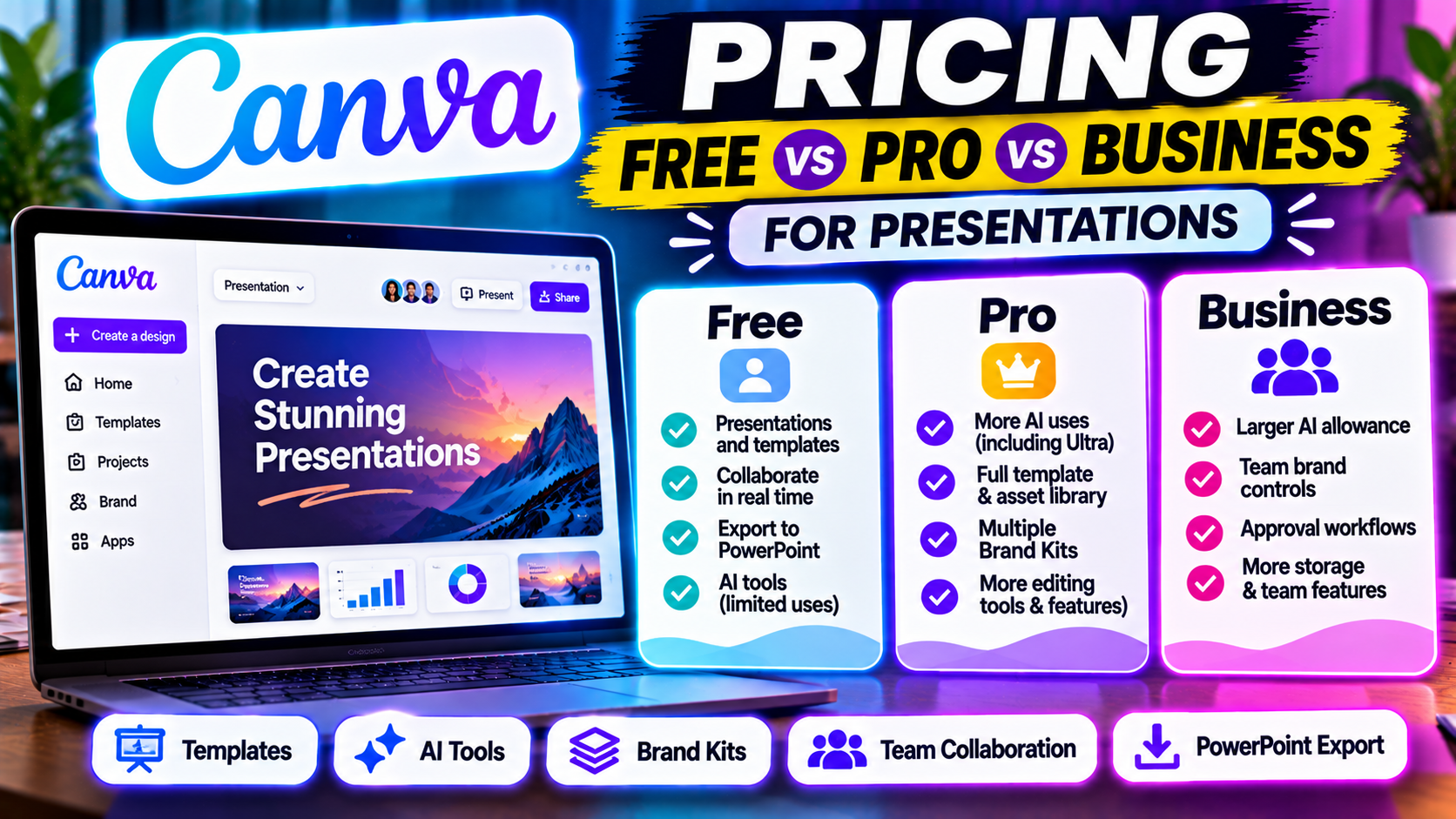
Canva has four main plans: Free ($0), Pro (US$144 a year for one person), Business (US$250 a year per person) and Enterprise (custom pricing). If you pay monthly instead of yearly, third-party pricing guides put Pro at about $18 a month and Business at about $25 per person a month. Education accounts for K-12 schools and eligible nonprofits can get premium features free.
For presentations specifically, the free plan already covers a lot: templates, real-time collaboration and editable PowerPoint downloads. Pro is mainly worth it for more AI, the full template and stock library, and a proper Brand Kit. Business only makes sense once a team needs shared brand controls and approvals.
Prices below are what Canva's US pricing page showed when we checked on 13 October 2026. Canva prices vary by country and have changed several times in the past two years, so confirm at checkout.
Canva plans at a glance
| Free | Pro | Business | Enterprise | |
|---|---|---|---|---|
| Price (yearly) | $0 | US$144/year, one person | US$250/year per person | Contact sales |
| Price (monthly, reported) | $0 | ~$18/month | ~$25/person/month | Contact sales |
| Who it's for | Individuals | Individuals | Individuals and teams | Organizations |
| Templates | 1.6M+ | 3.6M+ | 3.6M+ (plus Business features) | Same as Business |
| Brand Kits | 1 kit, 3 colors only | 5 | 100 | 1,000 |
| Cloud storage | 5GB | 100GB | 500GB | 1TB |
| Monthly AI allowance | Up to 20 Standard or Premium uses | Up to 200 Premium or 20 Ultra uses | Up to 400 Premium or 40 Ultra uses | Up to 400 Premium or 40 Ultra uses |
| Approvals / team controls | No | No | Yes | Yes, plus SSO and SCIM |
| Free trial | n/a | Yes | Yes | No |
Canva's own pricing page lists the yearly prices. Monthly figures come from independent pricing guides (Style Factory, July 2026; Piktochart, August 2026), because the monthly toggle didn't render in our check.
What the free plan gives a presentation user
Canva Free is unusually generous for slides:
- A large library of presentation templates
- Real-time collaboration and commenting
- Presenting from the browser, including presenter view
- Downloading a deck as an editable PowerPoint (.pptx) file, and importing PowerPoint files
- Up to 20 AI uses a month across Canva's Standard and Premium AI tools
The limits that tend to bite are the Brand Kit (one kit, three colours, no custom fonts), the premium templates and stock elements (they show a watermark until you upgrade or buy them), and AI. Canva's chat-style deck builder sits in its Ultra AI tier, which the free plan doesn't include, so AI deck generation is where free users feel the ceiling first.
If you're comparing free options across tools, our best free AI presentation tools roundup puts Canva Free next to the others.
What Canva Pro adds
For one person, Pro is the plan most presentation users end up on. It adds:
- 10x the AI allowance of the free plan: up to 200 Premium AI uses or 20 Ultra uses a month, and Standard AI tools no longer count against the allowance
- The full template and stock library (3.6M+ templates and premium photos, graphics and video)
- Five Brand Kits with your own fonts, logos and colours
- Magic Resize, background remover and other premium editing tools
- 100GB storage and social content scheduling
Canva's pricing page shows US$144 a year for Pro, which works out to $12 a month. Monthly billing costs more (about $18 according to recent third-party guides).
Is Canva Pro worth it?
It's worth it if you use Canva for more than slides. The value comes from one subscription covering presentations, social posts, documents, video and print, with your brand assets in one place.
It's harder to justify if all you want is faster AI decks. Pro gives you up to 20 Ultra AI uses a month, and the design work still happens in a general-purpose editor. A dedicated AI presentation maker such as Gamma, Beautiful.ai or Decktopus is built around that single job and may get you to a finished deck faster. Our Gamma vs Canva comparison walks through that trade-off.
For a small business, Pro is usually enough until two or more people need to share brand assets and templates under one admin. That's when Business starts to make sense.
Canva Business vs Pro: which is better?
Business (formerly Canva Teams) is priced per person: US$250 a year each, with no minimum seat count listed. It includes everything in Pro plus:
- Double the AI allowance (up to 400 Premium or 40 Ultra uses per person per month)
- 100 Brand Kits and team-level brand controls
- Approval workflows so designs can be reviewed before they go out
- 500GB storage and 10% off Canva Print orders where available
- AI top-ups as well as the AI Pass add-on
Pick Pro if you work alone, even if you share files with clients. Collaboration and sharing work on every plan.
Pick Business if several people build decks that must match one brand, someone needs to approve slides before they go to customers, or one or two people on the team burn through Pro's AI allowance.
Remember that AI allowances are per person on Business. They aren't pooled, so a light user's spare uses can't cover a heavy user.
If brand consistency across a team is the main concern, also look at Beautiful.ai and Pitch, which are built around shared slide templates. Our guide to AI presentation tools for teams and the Canva vs Pitch comparison go deeper.
Canva Enterprise, Education and Nonprofits
- Enterprise is quoted by sales. It adds SSO and SCIM provisioning, 1TB storage and 1,000 Brand Kits; priority support and a dedicated success manager require 150+ contracted seats.
- Canva for Education is free for K-12 teachers and their students and includes most premium features, with the same AI allowance as Pro. Our AI presentation tools for students and educators guide compares it with alternatives.
- Canva for Nonprofits gives eligible organisations premium Pro features free after an application. Independent guides report it covers up to 50 people.
Did Canva's prices go up?
Yes, more than once. The biggest change came in September 2024, when Canva replaced the flat-rate Teams plan (US$119.99 a year for up to five people) with per-person pricing. Piktochart estimated that took a five-person team from about $120 to $500 a year. The plan has since been renamed Business.
Exact numbers have kept moving, and recent third-party guides don't all agree on Pro's annual price. That's why we quote Canva's own page with the date we checked.
Does Canva Pro have a free trial?
Yes. Canva offers free trials of Pro and Business, and you aren't billed during the trial. Independent guides cite 30 days for Pro; Canva's pricing page doesn't state a length, so check the terms when you sign up.
Two things to know before you start one:
- Your AI allowance during the trial is the same as Canva Free. You won't see Pro-level AI usage until the paid subscription starts.
- You can cancel before the trial ends from your account's billing settings to avoid being charged. Set a reminder.
When a dedicated AI presentation tool is the better buy
Canva makes sense when presentations are one part of a wider design workload. Look elsewhere when:
- You want AI to do most of the work. Prompt-to-deck tools like Gamma, Presentations.AI or Decktopus are built for that.
- Your company runs on PowerPoint. Microsoft Copilot in PowerPoint and Plus AI work inside the app instead of exporting from Canva. See Canva vs PowerPoint.
- Your team lives in Google Slides. Add-ons such as MagicSlides and Plus AI generate slides directly in your Slides files. Our guide to using AI with Google Slides explains the options.
- You mostly turn documents into decks. Tools such as SlideSpeak focus on that workflow; see how to turn a document or PDF into slides.
For more side-by-side options, read our list of Canva alternatives.
Quick answers
How much is Canva Pro per month? About $18 if billed monthly (per recent third-party guides), or US$144 a year ($12 a month) billed annually on Canva's US pricing page as of 13 October 2026.
How much is Canva Business? US$250 per person per year, or about $25 per person per month on monthly billing. No minimum number of people is listed.
Is there a discount for students or teachers? K-12 teachers and students can use Canva for Education free. University students aren't covered by that plan.
Can I export Canva presentations to PowerPoint on the free plan? Yes. You can download a Canva presentation as an editable .pptx file on any plan, though fonts and animations may need checking after export.
Next step
Start with the free plan and see whether its limits actually get in your way before paying. Our Canva listing summarises its presentation features, and the AI design suites category lists tools that compete with it.
Listings related to Canva Pricing in 2026: Free vs Pro vs Business for Presentations
Canva
The presentation side of Canva's all-in-one design suite, with Magic Studio AI turning a prompt or document into an editable, template-based deck. Easiest on-ramp, generous free tier, editable PowerPoint in and out — but a generalist, not a specialist.
Gamma
An AI presentation maker that turns a prompt or a pasted document into a finished-looking deck in about a minute. A standalone web app — great free plan for on-screen decks, but clean PowerPoint export and branding are paid.
Beautiful.ai
A standalone AI presentation app built on rule-based smart templates that auto-format every slide. Built for business teams who want on-brand, consistent decks without manual design — no free plan, editable PowerPoint export on every paid tier.
Decktopus
A guided, opinionated AI deck builder for non-designers that generates the slides plus delivery extras — speaker notes, audience Q&A, lead-capture forms, voiceover and hosting. Cheap entry point; no true free plan.
Pitch
A collaborative AI presentation tool that has grown into a "complete pitching platform" — shared teamspaces, AI deck generation, and trackable Pitch Rooms with engagement analytics. Built for sales and go-to-market teams, not solo one-off decks.
Presentations.AI
A generative-AI-first presentation maker — "ChatGPT for presentations." You describe a deck and it builds the whole thing, then you refine conversationally. Genuine free plan; fast, but a thin independent track record so far.
Microsoft Copilot for PowerPoint
Microsoft's AI built directly into PowerPoint — builds decks from a prompt, a Word doc or a PDF, all as native editable .pptx. Unmatched integration with your real files; no free tier, requires a paid Microsoft 365 + Copilot licence.
Plus AI
An AI add-in that generates and edits presentations natively inside Google Slides and PowerPoint — no separate app, no export step. Strong at improving existing decks, not just making new ones. Trial only, no free plan.
MagicSlides
MagicSlides is an AI slide generator that turns a topic, document, URL or YouTube video into a presentation — most notably as a native Google Slides add-on that produces editable Google Slides, with a web app and PowerPoint/PDF export as well.
SlideSpeak
SlideSpeak is a standalone AI presentation maker that turns documents, PDFs, existing slides or a plain topic into a native, editable PowerPoint deck, with an AI assistant you can chat to about your source file