
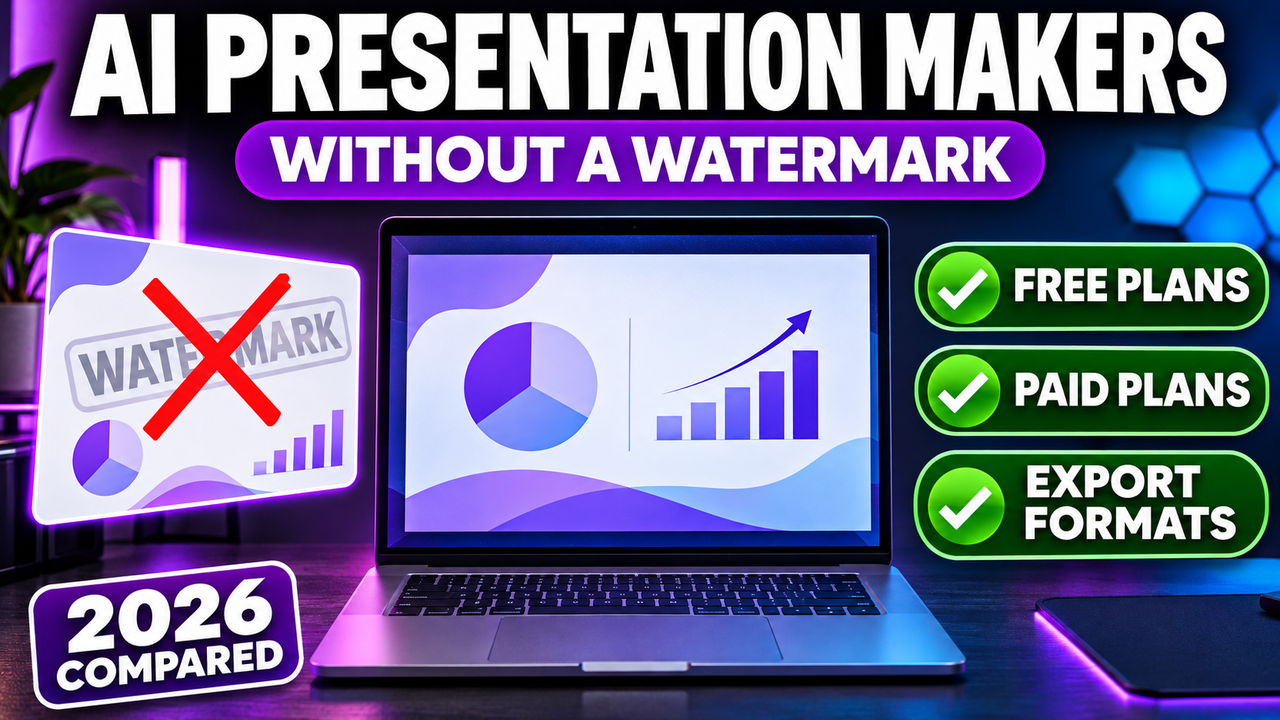
AI Presentation Makers Without a Watermark: Free and Paid Options Compared
Several AI presentation makers let you download slides without a watermark on their free plan. Canva does not watermark designs built from its free elements, Presentations.AI lists PowerPoint and PDF export and unbranded share links on its free Starter plan, and Slidesgo adds no watermark but asks free users to keep a credits slide. Others, including Gamma, SlidesAI and NotebookLM, put a badge or watermark on free output and remove it on a paid plan.
The table below shows, tool by tool, what the free plan adds, the cheapest legitimate way to remove it, and which export formats you get. Plans, prices and branding rules were checked on 20 October 2026 against each company's pricing and help pages. Where we could only find third-party reports, or sources disagreed, the table says so.
Three kinds of "watermark"
People searching for an AI PPT without a watermark usually mean one of three different things, and a tool can have one without the others.
- A mark on the slides themselves. A logo or "Made with" label is drawn onto each slide, so it travels with the file wherever it goes. SlidesAI's badge in the bottom-right corner of every exported slide is an example.
- Branding added only on export. The slides look clean in the editor, but the PDF or PPTX you download carries the logo. Pitch brands free PDF exports this way.
- A badge or end screen on shared links. If you present from a web link, viewers may see a "Made with" badge or a closing screen, while a downloaded file stays clean. SlidesAI shows its end screen to logged-out viewers of free decks, for example.
There is a fourth case that isn't a watermark at all: an attribution requirement. Slidesgo's free plan lets you download clean slides, but its terms ask you to keep the Slidesgo credits slide. Canva's watermarks work differently again. They appear only on premium photos, graphics or templates that a free user has not paid for.
Free plan watermark by tool
| Tool | Free plan? | Branding on free output | Cheapest way to remove it | Export formats |
|---|---|---|---|---|
| Canva | Yes | None on free elements; premium elements are watermarked until bought or you upgrade | Buy the single element, or Canva Pro (US$144/year) | PPTX, PDF, JPG, PNG and more |
| Presentations.AI | Yes, Starter (100 credits, up to 20 slides) | No watermark mentioned; unbranded public links on every plan | Not needed on Starter | PowerPoint, PDF on all plans |
| Slidesgo | Yes, 3 AI decks a month | No watermark, but you must keep the Slidesgo credits slide | Premium, $5.99/month or $35.99/year | PPTX |
| Gamma | Yes, 400 one-time credits | "Made with Gamma" badge on shared and exported content | Plus (about $8 a month yearly or $10 monthly, per third-party trackers) | PDF, PPTX, PNG, Google Slides |
| SlidesAI | Yes, 12 decks a year | "Made with SlidesAI" badge on each exported slide, end screen on public links | Pro, $10/month billed yearly ($120) | PowerPoint, PDF, Google Slides |
| NotebookLM | Yes | Visible watermark on outputs | Google AI Pro, $19.99/month (watermark stays in India, South Korea and Vietnam) | PDF, PPTX |
| Pitch | Yes | PDF exports and embeds are branded | Plus, €10/month billed yearly | PDF on Free; PPTX on paid plans (the page conflicts on whether Plus includes it) |
| SlidesGPT | Yes, create, view and share only | Downloads are not part of the free plan | Pro, $7.49/month or $89.99/year (10 downloads a month) | PowerPoint, PDF, Google Slides |
| MagicSlides | Yes | Not stated on the pricing page; every paid plan is listed as "No watermark" | Essential, $80/year (about $6.67/month) | PowerPoint, PDF, Google Slides |
| Visme | Yes, Basic | Visme branding on projects published online; which plan removes the logo could not be confirmed | Starter, $12.25/month billed yearly ($147) | JPG, PNG, PDF; PPTX on Basic is non-editable |
| SlideSpeak | Yes, 100 credits at sign-up | Not stated | Premium (listed at $29 to $30/month) if needed | PDF, PPT and more listed on Premium |
| AiPPT | Yes, 140 one-time credits | Not confirmed (third-party reports conflict) | Plus (price not shown on the official page when checked) | PPT, PDF, image |
| Microsoft Copilot in PowerPoint | No ongoing free plan | No watermark documented; output is a normal PowerPoint file | Microsoft 365 Personal, $9.99/month or $99.99/year | Native PPTX |
| Plus AI | No, 7-day trial (card required) | Not stated | Basic, $10/month yearly or $15 monthly | Native slides in PowerPoint and Google Slides |
| Decktopus | None listed on the current pricing page | Earlier reviews described Decktopus branding on free exports | Pro, $9.99/month yearly or $24.99 monthly | PDF, PPT, PNG |
| Beautiful.ai | No, 14-day trial (card required) | Not stated for trial decks | Pro, $14.50/month billed yearly | PowerPoint, PDF |
Prices are in US dollars unless shown otherwise, before tax, and many vary by country.
A few notes the table can't hold:
- Gamma's help centre says Plus, Pro and Ultra each remove the "Made with Gamma" badge "from shared/exported content", which is why the free plan counts as branded on both. Gamma's own pricing page did not display prices when we checked, so the Plus figure comes from independent pricing write-ups, which disagree slightly ($8 to $10). Our guide to whether Gamma is free covers the credit limits.
- SlidesAI's help centre says files you exported before upgrading keep the badge, so you have to export them again after paying. On a paid plan you also have to untick "Include watermark" each time you export.
- NotebookLM was renamed Gemini Notebook in July 2026. Google lists watermark removal for the Pro and Ultra tiers only.
- Visme's pricing page lists PowerPoint export on the free plan as non-editable, so even a clean file is hard to change afterwards.
- Beautiful.ai has no permanent free plan, only a trial, so watermark-free free use isn't really on offer there. See is Beautiful.ai free for the trial terms.
Tools we could not confirm on official pages
These tools have listings in our directory, but we could not find watermark details on their own pricing or help pages, so treat the following as unconfirmed.
- PopAi: a March 2026 review by Prezent says free exports are watermarked and that paid plans remove it. PopAi's own site confirms PPTX export and link sharing.
- Prezi: Prezi's August 2026 pricing blog describes its free Basic plan as having "watermarked exports" and public-only sharing, with Standard at $7 per user a month (yearly). It does not say which plan removes the watermark.
- Genially: an independent tool directory (checked 16 October 2026) says free content carries a Genially watermark that paid plans remove. Genially's pricing page would not load for us.
- Simplified: its current pricing page is built around marketing campaigns and does not cover presentation exports or watermarks.
Honest ways to get a free AI presentation without a watermark
Third-party "watermark remover" sites exist for some of these tools. Removing branding that a company sells as a paid feature can break its terms of use, so read them before you try. The options below don't carry that risk.
- Start in a tool that doesn't brand free output. If you want a PPT maker AI with a free download without a watermark, Canva (using only free elements), Presentations.AI and Slidesgo are the clearest options from our checks. Slidesgo still needs its credits slide.
- Export to PPTX, then finish in PowerPoint or Google Slides. An editable file gives you full control over the design. If the free plan adds a badge, check the tool's terms before deleting it, because a provider can require free users to keep its branding even when the file lets you remove it.
- Use the AI only for the outline. Ask a text-to-PPT tool or a chat assistant for the structure and speaker notes, then build the slides yourself in PowerPoint or Google Slides. It is slower, but nothing gets stamped on the slides.
- Pay for one month. If you need one clean deck for a pitch or a client, a month of Gamma Plus, SlidesGPT Pro or MagicSlides Essential usually costs less than the time spent working around a badge. Check whether the plan bills monthly or only yearly before you subscribe.
- Check student and education offers. Beautiful.ai lists a free year for students with a .edu email, and Prezi lists an EDU Plus plan.
Which option fits you
- You need a free download today and will edit it yourself: start with Canva or Presentations.AI. Both export PowerPoint files on their free plans.
- You want template-style slides and don't mind an attribution slide: Slidesgo's 3 free AI decks a month export as PPTX.
- You prefer Gamma's web-style decks and present from the link: the free plan works, but viewers see the badge. Plus removes it from links and exports alike.
- You work inside Google Slides: SlidesAI's free plan is usable for drafts, but every exported slide carries its badge until you upgrade. Plus AI works natively but has no free plan.
- You already pay for Microsoft 365 Personal or Family: Copilot in PowerPoint builds the deck as a normal PowerPoint file with no badge, within its 60 monthly AI credits.
- You turn documents or notes into slides: NotebookLM is free for that, but outputs are watermarked unless you move to Google AI Pro.
For a wider view of what each free plan includes beyond watermarks, see the best free AI presentation tools.
FAQ
Which is the best AI presentation maker without a watermark?
There is no single best one; it depends on whether you need it free. On free plans, Canva (free elements only) and Presentations.AI are the clearest choices: neither mentions any watermark on free exports, and Presentations.AI lists unbranded links on every plan. If you can pay, nearly every tool here removes its branding on the cheapest paid plan, so pick on features and export format first.
Is there a free AI PPT maker without a watermark that downloads PPTX?
Yes. Canva lets you download presentations as PPTX, Presentations.AI lists PowerPoint export on its free Starter plan, and Slidesgo's free AI maker downloads PPTX (with a credits slide you must keep).
Is AiPPT free without a watermark?
We could not confirm it. AiPPT's pricing page lists a free plan with 140 one-time credits and PPT, PDF and image export, but it says nothing about watermarks. Third-party reviews disagree, so test a free download before relying on it.
Can I use a text to PPT AI free without a watermark and download the file?
Yes, with the tools above. SlidesGPT is one to avoid for this: its free plan lets you create, view and share decks, but downloading the file needs Pro.
Does Gamma put a watermark on PowerPoint exports?
Gamma says its paid plans remove the "Made with Gamma" badge from shared and exported content, so free exports carry it. See does Gamma export to PowerPoint for what carries over into the file.
Is it allowed to delete the watermark after export?
It depends on the tool's terms. Some companies only need you to keep a credits slide (Slidesgo), others sell branding removal as a paid feature. If the terms require their branding on free output, removing it can breach them.
Next step
If you want slides you can download and edit for free, compare the tools in our AI slide generators category and open each listing to check its current free plan before you start building.
Listings related to AI Presentation Makers Without a Watermark: Free and Paid Options Compared
SlideSpeak
SlideSpeak is a standalone AI presentation maker that turns documents, PDFs, existing slides or a plain topic into a native, editable PowerPoint deck, with an AI assistant you can chat to about your source file

Simplified
All-in-one AI content and design platform — presentations alongside social graphics, video, documents and copy, with a shared brand kit.
genially
No-code platform for interactive presentations, infographics and e-learning content, with AI helpers for images, quizzes, narration and translation.
Prezi
Presentation software built on a zooming, non-linear canvas instead of a slide stack, now with Prezi AI generation and Prezi Video. Distinctive and memorable for live talks — but its PowerPoint export is static, not editable.
PopAi
All-in-one AI workspace (16M+ users) whose AI Presentation Maker turns a topic, PDF, Word file or webpage into an editable deck with PowerPoint and PDF export.
Beautiful.ai
A standalone AI presentation app built on rule-based smart templates that auto-format every slide. Built for business teams who want on-brand, consistent decks without manual design — no free plan, editable PowerPoint export on every paid tier.
Decktopus
A guided, opinionated AI deck builder for non-designers that generates the slides plus delivery extras — speaker notes, audience Q&A, lead-capture forms, voiceover and hosting. Cheap entry point; no true free plan.
Plus AI
An AI add-in that generates and edits presentations natively inside Google Slides and PowerPoint — no separate app, no export step. Strong at improving existing decks, not just making new ones. Trial only, no free plan.
Microsoft Copilot for PowerPoint
Microsoft's AI built directly into PowerPoint — builds decks from a prompt, a Word doc or a PDF, all as native editable .pptx. Unmatched integration with your real files; no free tier, requires a paid Microsoft 365 + Copilot licence.
aippt
AI presentation generator that turns prompts, documents, PDFs and URLs into slide decks, with export to PowerPoint, Google Slides and Keynote.
Canva
The presentation side of Canva's all-in-one design suite, with Magic Studio AI turning a prompt or document into an editable, template-based deck. Easiest on-ramp, generous free tier, editable PowerPoint in and out — but a generalist, not a specialist.
Visme
All-in-one visual content platform for presentations, infographics, reports and data visualizations, with an AI Designer and broad export options on paid