
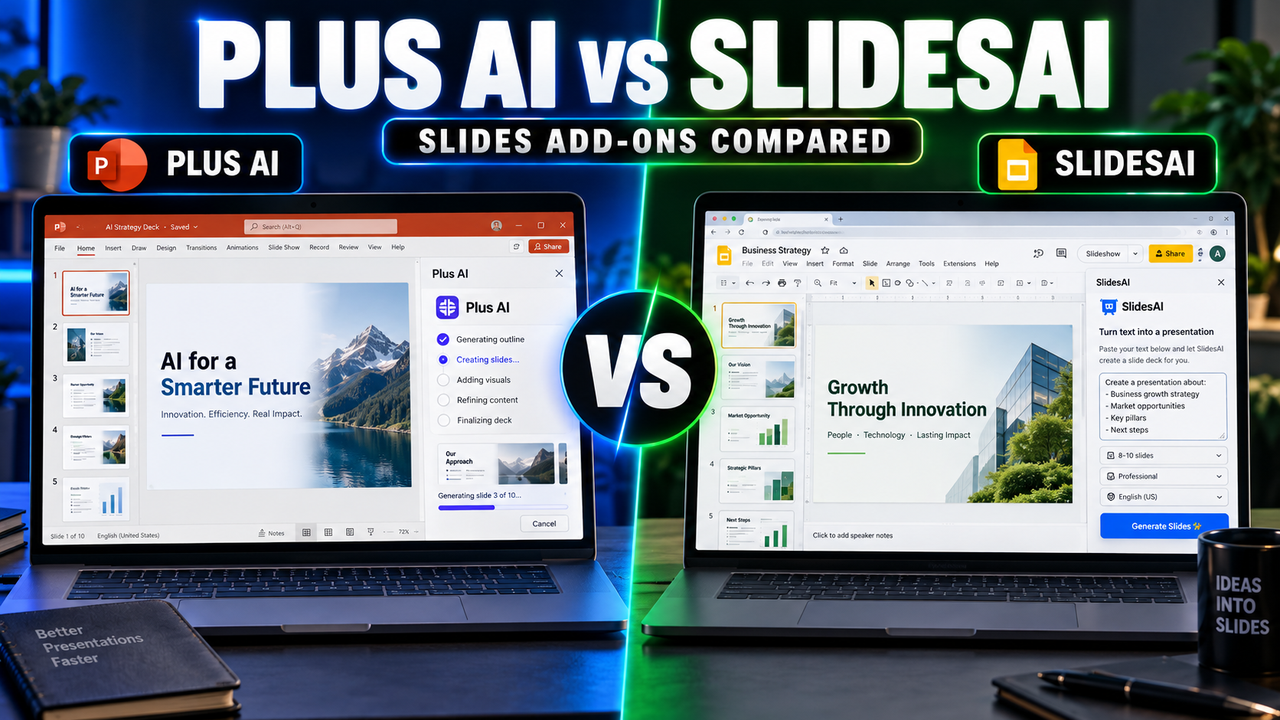
Plus AI vs SlidesAI: Which Add-On Should You Install?
Plus AI and SlidesAI solve the same basic problem: you want AI to create slides without leaving the presentation app you already use. Both install as add-ons rather than asking you to move to a new platform. That is where the similarity ends. Plus AI is the more complete tool, covering both Google Slides and PowerPoint with deeper editing, document uploads and team branding. SlidesAI is the cheaper, simpler option, strongest inside Google Slides and best for turning a block of text into a deck.
Short answer: pick Plus AI if you work in PowerPoint, need branded decks for a team, or want AI to keep editing slides after the first draft. Pick SlidesAI if you work in Google Slides, mostly paste text and want a deck back, and want to spend as little as possible.
Side-by-side
| Plus AI | SlidesAI | |
|---|---|---|
| Where it runs | Inside Google Slides and PowerPoint | Inside Google Slides (PowerPoint support is more limited) |
| Free option | 7-day trial, card required | Free plan with a very small allowance |
| Entry price | Basic about $10/month (annual) | Pro about $10/month, or less on annual billing |
| Higher tiers | Pro about $20, Team about $30 (annual) | Premium about $20/month |
| Usage model | Monthly AI credits | Presentations per month and a character limit per input |
| Start from a document | Yes, PDF/Word/text uploads on Pro and up | Paste text (character-limited) |
| Edit existing slides with AI | Yes, rewrite and remix slides | More focused on generating new decks |
| Team branding | Yes, on Team | Limited |
Checked 1 October 2026. Plus AI prices are from its pricing page; SlidesAI figures from independent reviews whose annual numbers differ slightly. Confirm on each site before you buy.
How they differ in daily use
Plus AI: an assistant that stays in the deck
Plus AI is built to keep working on a presentation after it exists. You can generate a full deck from a prompt, insert individual slides, and remix or rewrite slides you already have. On Pro and above you can upload a PDF, Word or text file and build a deck from it, and the Team plan adds custom branding and shared presets so everyone's slides come out on-brand.
Because it runs in both Google Slides and PowerPoint, the output is native slides in the file you are already editing. There is no export step and no formatting translation. If you have ever exported from a standalone tool and spent twenty minutes fixing fonts, this is the main reason to choose an add-on.
SlidesAI: paste text, get slides
SlidesAI is narrower by design. You paste text, choose a style, and it builds a deck inside Google Slides. Its limits are framed around how many presentations you can make each month and how many characters each input can be. Independent reviews put the free plan at a very small allowance with roughly 2,500 characters per input, Pro at about 10 decks a month and 6,000 characters, and Premium at unlimited decks with about 12,000 characters.
That character limit matters more than it sounds. 2,500 characters is a few hundred words, enough for an outline but not a full report. If your source material is long, you will be trimming it first or paying for a higher tier.
Reviews also note that SlidesAI's best experience is in Google Slides, with PowerPoint support more limited. If PowerPoint is your main app, test it there before committing.
Pricing in practice
On paper the entry prices look similar, around $10 a month each. The differences are in what that buys and how you start:
- SlidesAI lets you start free. The free allowance is small, but there is no card and no trial clock.
- Plus AI starts with a 7-day trial that requires a card and converts to a paid plan. There is no permanent free tier.
- Plus AI meters by credits, so heavy editing costs more than a single generation. SlidesAI meters by decks and characters, which is easier to predict if you mostly generate new decks.
If you produce a couple of short decks a month from text, SlidesAI is likely cheaper. If you edit a lot, work from documents, or need branding across a team, Plus AI gives you more for the money.
Which one fits your situation?
Choose Plus AI if:
- You work in PowerPoint, or switch between PowerPoint and Google Slides.
- You want to turn PDFs or Word documents into slides.
- You need AI to edit and improve existing decks, not just create new ones.
- You need consistent branding across a team.
Choose SlidesAI if:
- You live in Google Slides.
- Your input is a short block of text or an outline.
- You want a free starting point and low ongoing cost.
- You make a handful of decks a month.
Other tools worth a look
If neither add-on fits:
- Microsoft Copilot for PowerPoint is built into PowerPoint itself for Microsoft 365 subscribers and can create a deck from a prompt or a Word document.
- MagicSlides is another slide generator that turns text and other sources into decks.
- SlideSpeak focuses on turning documents into presentations.
For a wider view of add-ins, see our guide to the best AI add-ins for PowerPoint and Google Slides. If Google Slides is your main app, can you use AI with Google Slides explains the different ways tools connect to it, and if your starting point is a file, read how to turn a document or PDF into slides with AI.
The bottom line
Both tools keep you in the presentation app you know. SlidesAI is the inexpensive, focused choice for Google Slides users who paste text and want a deck. Plus AI is the more capable assistant for people who work across PowerPoint and Google Slides, start from documents, and need to keep refining slides or keep a team on-brand.
Compare full details on the Plus AI and SlidesAI listings, or browse all AI slide generators.
Listings related to Plus AI vs SlidesAI: Which Add-On Should You Install?

Plus AI
An AI add-in that generates and edits presentations natively inside Google Slides and PowerPoint — no separate app, no export step. Strong at improving existing decks, not just making new ones. Trial only, no free plan.

SlidesAI
A lightweight text-to-slides add-in for Google Slides and PowerPoint: paste notes, a topic or a document and it generates a starter deck. Genuine free plan, low price, huge install base — thin on design and editing.
Microsoft Copilot for PowerPoint
Microsoft's AI built directly into PowerPoint — builds decks from a prompt, a Word doc or a PDF, all as native editable .pptx. Unmatched integration with your real files; no free tier, requires a paid Microsoft 365 + Copilot licence.
MagicSlides
MagicSlides is an AI slide generator that turns a topic, document, URL or YouTube video into a presentation — most notably as a native Google Slides add-on that produces editable Google Slides, with a web app and PowerPoint/PDF export as well.
SlideSpeak
SlideSpeak is a standalone AI presentation maker that turns documents, PDFs, existing slides or a plain topic into a native, editable PowerPoint deck, with an AI assistant you can chat to about your source file