
Does Gamma Export to PowerPoint? What You Get and What Needs Fixing
Does Gamma Export to PowerPoint? What You Get and What Needs Fixing
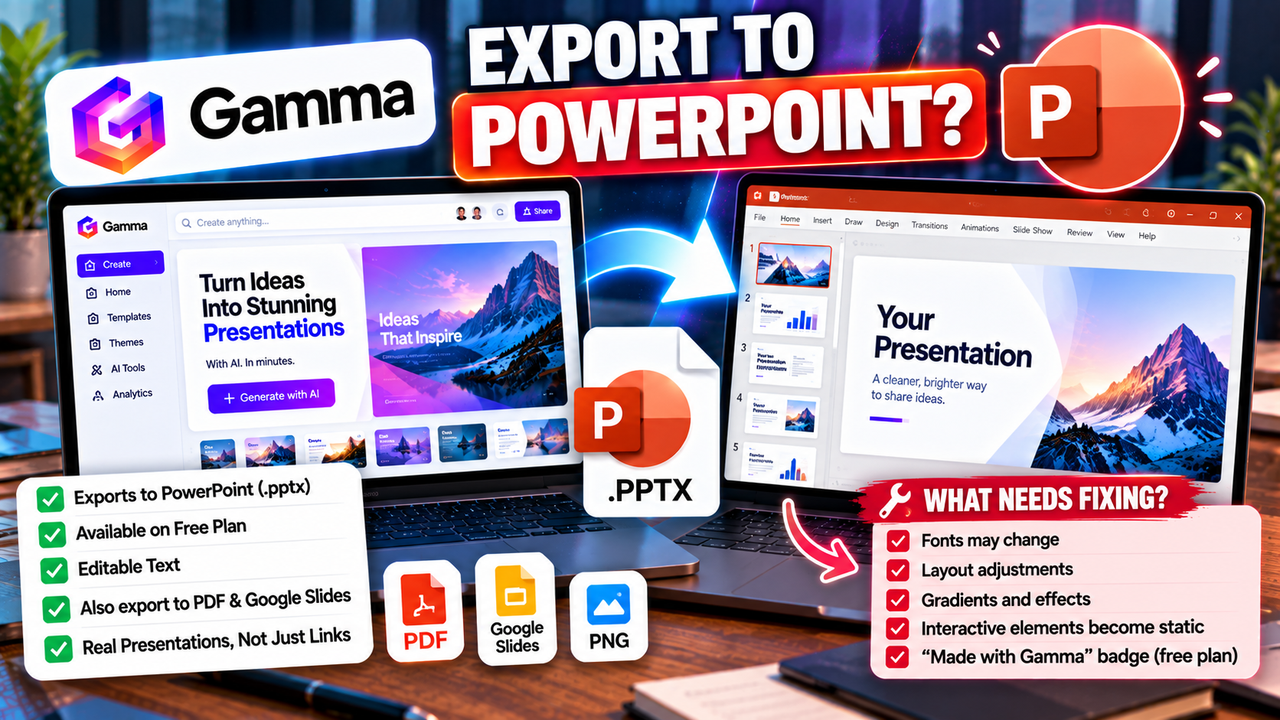
Yes. Gamma exports to PowerPoint (.pptx), and it is available on every plan, including the free one. The file opens in PowerPoint and the text is editable. What it will not do is look identical to what you built in Gamma, because Gamma and PowerPoint organise a presentation in different ways. Expect to spend a few minutes cleaning up, more if your deck relies on custom fonts or interactive elements.
If PowerPoint is where your deck ends up, here is what to expect and how to avoid the common problems.
The short version
- PowerPoint (.pptx): available on all plans. The free plan adds a "Made with Gamma" badge; paid plans remove it.
- PDF: available on all plans, same badge rule.
- Google Slides: Gamma added an export option in 2025, but treat it as an export, not a live connection.
- PNG: individual cards can be exported as images.
Checked 1 October 2026 against Gamma's documentation and independent reviews. Features and plan limits change, so confirm in Gamma's export menu.
Why the export is not a perfect copy
Gamma does not build decks out of fixed 16:9 slides. It uses scrollable cards that can grow to fit their content, with its own layout rules and interactive elements. PowerPoint expects a fixed canvas where every object has a position. When Gamma exports, it has to translate one system into the other.
Gamma's own documentation is upfront about this. It notes that some formatting adjustments may be needed after export, and that custom fonts, gradients and interactivity may not carry over fully into PowerPoint's static format.
So the right mental model is: Gamma gives you an editable starting file in PowerPoint, not a finished one.
What usually needs attention after export
Based on Gamma's documented limitations, check these before you send the file to anyone:
- Fonts. If you used a custom or non-standard font, PowerPoint may substitute another one, which changes line breaks and spacing. Either use common fonts in Gamma or install the one you need on the machine that will open the file.
- Text fit. Cards that expanded to hold lots of text may leave PowerPoint boxes that look crowded or overflow. Shorten text in Gamma before exporting rather than fixing each slide afterwards.
- Gradients and effects. Backgrounds with gradients or effects can flatten or shift.
- Interactive elements. Anything that works as a click-through or embed in Gamma becomes static in PowerPoint.
- The badge. On the free plan, the "Made with Gamma" badge comes with the export.
A five-minute export test
Before you build a long deck around the idea of "I'll just export it," run a quick test with a short one:
- Generate a five-card deck on a topic you know, using the theme and fonts you plan to use.
- Export to PowerPoint and open it in PowerPoint itself (not just a preview).
- Click into a text box and type. Check that it is real, editable text.
- Add a new slide from your own template and see how the Gamma slides sit beside it.
- Present it from start to finish in slideshow mode.
If that works for you, scale up. If the fixes are too frequent, you need a tool built around PowerPoint rather than one that exports into it.
Is a Gamma export "editable"?
Technically, yes: the exported file is a normal PowerPoint document and you can change text and objects. Practically, editability depends on how much cleanup the layout needs. Some third-party reviews of the free plan report less flexible output than paid exports, while Gamma's own materials say PPTX is available on all plans. The two accounts are not easy to reconcile from the outside, which is one more reason to test a real deck from your own account rather than trust anyone's summary, including this one.
When native PowerPoint tools are the better choice
If your workflow is "my team lives in PowerPoint and edits everything there," consider tools that work inside PowerPoint rather than export into it:
- Microsoft Copilot for PowerPoint builds and edits slides directly in the app, so there is no translation step.
- Plus AI works inside PowerPoint and Google Slides, producing slides in the file you are already editing.
- Beautiful.ai and Presentations.AI are standalone makers that export PowerPoint on their paid plans.
- Pitch offers PowerPoint export on its paid plans, with PDF export on the free plan.
The distinction between "creates native slides" and "exports to a PPTX file" is the most useful idea in this whole category, and we unpack it in can AI create a PowerPoint presentation. If Google Slides is your destination instead, see can you use AI with Google Slides.
Who should use Gamma's export, and who should not
It works well when you want Gamma's fast first draft and design, you are happy to tidy up in PowerPoint, and the deck is a one-off.
Look elsewhere when you re-use corporate templates, hand decks to colleagues who edit heavily, or need pixel-exact output without cleanup.
Next step
If you are choosing a tool mainly on how well it ends up in PowerPoint, compare the options side by side in our AI PowerPoint tools category, or read the full Gamma listing for pricing and plan details.
Listings related to Does Gamma Export to PowerPoint? What You Get and What Needs Fixing

Microsoft Copilot for PowerPoint
Microsoft's AI built directly into PowerPoint — builds decks from a prompt, a Word doc or a PDF, all as native editable .pptx. Unmatched integration with your real files; no free tier, requires a paid Microsoft 365 + Copilot licence.

Plus AI
An AI add-in that generates and edits presentations natively inside Google Slides and PowerPoint — no separate app, no export step. Strong at improving existing decks, not just making new ones. Trial only, no free plan.

Beautiful.ai
A standalone AI presentation app built on rule-based smart templates that auto-format every slide. Built for business teams who want on-brand, consistent decks without manual design — no free plan, editable PowerPoint export on every paid tier.

Presentations.AI
A generative-AI-first presentation maker — "ChatGPT for presentations." You describe a deck and it builds the whole thing, then you refine conversationally. Genuine free plan; fast, but a thin independent track record so far.

Pitch
A collaborative AI presentation tool that has grown into a "complete pitching platform" — shared teamspaces, AI deck generation, and trackable Pitch Rooms with engagement analytics. Built for sales and go-to-market teams, not solo one-off decks.

Gamma
An AI presentation maker that turns a prompt or a pasted document into a finished-looking deck in about a minute. A standalone web app — great free plan for on-screen decks, but clean PowerPoint export and branding are paid.