
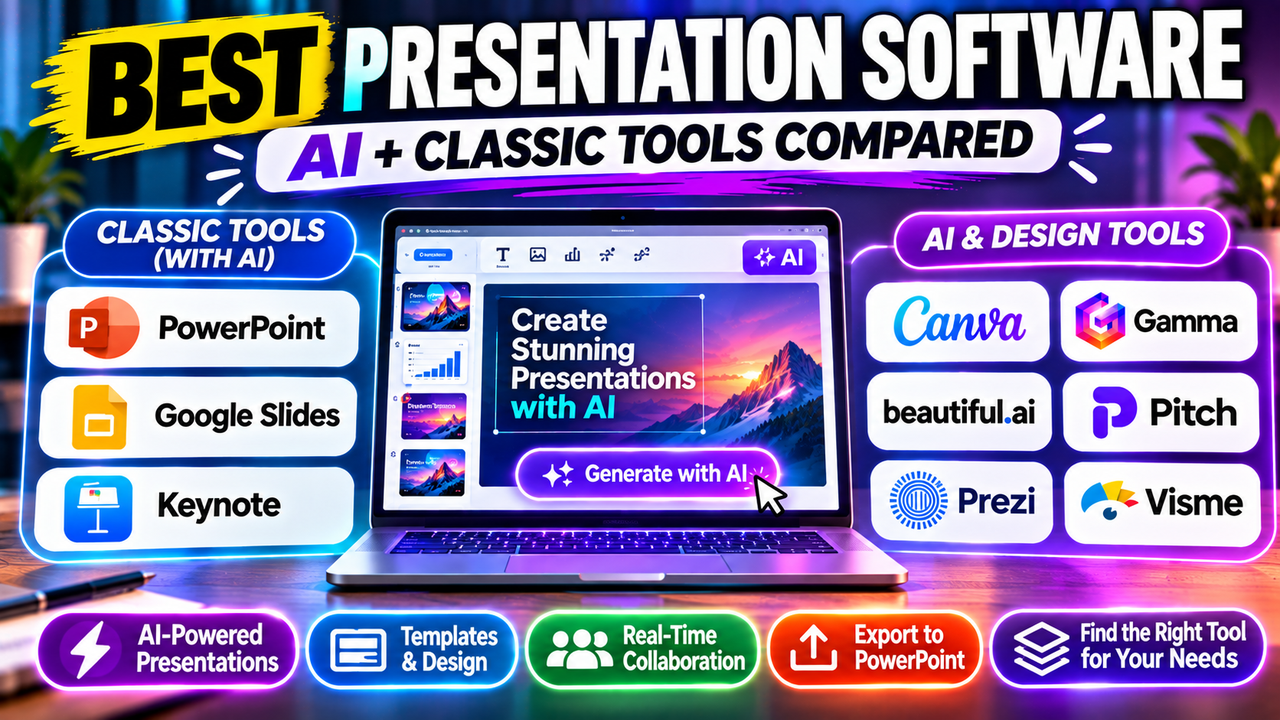
Best Presentation Software: AI and Classic Options Compared
Best Presentation Software in 2026: AI and Classic Options Compared
For most people, the best presentation software is still the one their colleagues already use: PowerPoint in Microsoft-based companies, Google Slides in Google Workspace teams and Keynote on a Mac. All three now have AI built in. Switch to a dedicated tool when you have a specific need they handle badly: Gamma for fast AI-drafted decks, Canva for design-heavy work, Pitch for sales teams that track who opened a deck, or Prezi for non-linear live talks.
This guide covers both groups. If you already know you want an AI-first generator, our AI presentation makers category is the better starting point.
The short list
| Software | Type | Free option | AI built in | Best for |
|---|---|---|---|---|
| Microsoft PowerPoint | Classic desktop + web | PowerPoint for the web | Copilot (Microsoft 365 plans) | Companies that share .pptx files |
| Google Slides | Classic, browser-based | Yes, with a Google account | Gemini (paid Workspace and Google AI plans) | Real-time collaboration in Google Workspace |
| Apple Keynote | Classic, Apple devices | Yes | Extra AI features via Apple Creator Studio | Mac and iPad users |
| Canva | Design suite | Yes, generous | Canva AI (monthly allowance) | Non-designers making polished slides and other visuals |
| Gamma | AI-native | Yes, with limits | Core of the product | Fast first drafts from a prompt or document |
| Beautiful.ai | AI-assisted layouts | Trial | Smart templates and AI generation | Consistent, on-brand decks without design skills |
| Pitch | Team presentation platform | Yes | Pitch Agent | Sales and startup teams sending decks as links |
| Prezi | Zooming canvas | Yes (public, branded) | Prezi AI | Non-linear live talks and teaching |
| Visme | Visual content platform | Yes (branded, limited export) | AI Designer | Data-heavy decks with charts and maps |
Classic presentation software, now with AI
Microsoft PowerPoint
PowerPoint is still the default in most companies, and its file format is what everything else imports and exports. If your clients, managers or conference organisers expect a .pptx, starting in PowerPoint avoids conversion problems with fonts, animations and layouts.
AI: Copilot in PowerPoint can draft a deck from a prompt or a Word file, summarise long decks and add slides. Microsoft 365 Personal and Family now include Copilot features with a monthly AI credit allowance (Office Watch reported 60 credits a month for the plan owner in January 2026). Business plans need a separate Copilot add-on.
Free option: PowerPoint for the web is free with a Microsoft account, without Copilot.
Choose it if your organisation already pays for Microsoft 365 and lives in .pptx files. Read more in Can AI create a PowerPoint presentation? and our Microsoft Copilot in PowerPoint listing.
Google Slides
Google Slides is free, runs in the browser, and its real-time co-editing is still the benchmark. It's the natural choice for schools and teams already in Google Workspace.
AI: Since June 2026, Gemini in Google Slides can build a full, editable multi-slide presentation from one prompt, pull in content from Drive files and match an existing deck's style. Google lists it for Workspace Business Standard and Plus, Enterprise Standard and Plus, and Google AI Pro and Ultra subscribers on personal accounts. At launch it was English (US) only.
Choose it if collaboration matters more than design polish. If you want more AI than Gemini offers, add-ons like MagicSlides and Plus AI work inside Slides. See Can you use AI with Google Slides? and our best AI add-ins for PowerPoint and Google Slides.
Apple Keynote
Keynote is free on Mac, iPad and iPhone and has some of the cleanest built-in themes and animations of any app. Collaboration with non-Apple users works through iCloud in a browser, but most workplaces still expect PowerPoint files, so expect to export.
AI: Keynote itself stays free. In January 2026 Apple launched Apple Creator Studio (US$12.99 a month or US$129 a year), which adds premium Keynote features including creating a slideshow from your text notes, AI-generated presenter notes and slide clean-up.
Choose it if you work on Apple devices, present your own decks, and rarely need to hand over editable files.
Design suites and AI-native tools
Canva
Canva is a general design platform with a strong presentation editor. The free plan includes thousands of templates, real-time collaboration and editable PowerPoint downloads. Canva AI can draft a deck from a prompt, but heavier AI use draws on a monthly allowance that's much larger on paid plans.
Choose it if you also make social posts, documents or print materials and want one tool for all of it. Compare it with the classics in Canva vs PowerPoint, and with other options in Canva alternatives.
Gamma
Gamma is built around AI generation. You give it a prompt, notes or a document and it produces a styled deck you can then edit. Decks are designed to be shared as web links, though you can export to PowerPoint and PDF.
Choose it if speed to a decent first draft is the priority. Exported files may need clean-up in PowerPoint. See Is Gamma free? and Gamma alternatives.
Beautiful.ai
Beautiful.ai uses "smart slides" that rearrange themselves as you add content, so spacing and alignment stay consistent. It's popular with teams that want on-brand decks without a designer. Our Gamma vs Beautiful.ai comparison explains how its approach differs from a pure generator.
Pitch
Pitch is aimed at teams that send a lot of decks: sales, agencies and startups. Its AI agent drafts on-brand slides, and shared links show who viewed which slide. Editable PowerPoint export starts on paid plans. For fundraising decks specifically, see best AI tools for pitch decks.
Prezi
Prezi replaces the slide stack with a zooming canvas, which suits teachers, trainers and speakers who move between topics depending on the audience. The free plan makes presentations public and branded, and PowerPoint export produces non-editable frames. Compare it in Gamma vs Prezi.
Visme
Visme is the stronger choice when your deck is mostly charts, maps and data widgets. Its AI drafting is basic, and editable PowerPoint export needs the Pro plan, but the editor handles data visualisation better than most presentation tools.
Which presentation software should you choose?
Start from your situation rather than from feature lists:
- Your company standardises on Microsoft 365. Use PowerPoint, and turn on Copilot if your plan includes it. Add Plus AI if you want more AI inside PowerPoint.
- Your team works in Google Workspace. Use Google Slides. Check whether your plan includes Gemini's full-deck generation before paying for another tool.
- You're on a Mac and present your own work. Keynote is free and polished. Export to PowerPoint when someone needs an editable copy.
- You need good-looking slides fast and aren't a designer. Try Canva or Beautiful.ai.
- You want AI to write the first draft. Try Gamma, Decktopus or Presentations.AI. If your source is a long document or PDF, see how to turn a document or PDF into slides.
- You send decks to prospects and want to know who read them. Look at Pitch or Storydoc.
- You teach or run workshops. Prezi or Genially for interactive formats; Canva or Google Slides for simple classroom decks. Our guide for students and educators goes into more detail.
Two practical checks apply to every option:
- Editable vs flattened export. If you'll hand the deck to someone using PowerPoint, check that the tool exports editable .pptx files rather than images of slides, and which plan that needs.
- Free plan limits. Watermarks, public-only sharing and capped AI use are common on free tiers. Our best free AI presentation tools roundup lists what each free plan really includes.
Is PowerPoint still the best presentation software?
For compatibility, yes. Almost every other tool imports and exports .pptx, and most workplaces expect it. For speed and design, it's no longer the obvious winner: AI-native tools reach a usable first draft faster, and design suites like Canva make polished visuals easier for non-designers. Many people now draft in an AI tool and finish in PowerPoint or Google Slides.
If you're unsure whether you need a separate AI tool at all, read Do you need an AI presentation tool? and our guide on how to choose an AI presentation tool.
Next step
If you already use PowerPoint, Google Slides or Keynote, try their built-in AI first; it's often included in a plan you already pay for. If that doesn't cover what you need, browse the AI presentation makers and AI PowerPoint tools categories to compare dedicated options.
Listings related to Best Presentation Software: AI and Classic Options Compared
Microsoft Copilot for PowerPoint
Microsoft's AI built directly into PowerPoint — builds decks from a prompt, a Word doc or a PDF, all as native editable .pptx. Unmatched integration with your real files; no free tier, requires a paid Microsoft 365 + Copilot licence.
Gamma
An AI presentation maker that turns a prompt or a pasted document into a finished-looking deck in about a minute. A standalone web app — great free plan for on-screen decks, but clean PowerPoint export and branding are paid.

Canva
The presentation side of Canva's all-in-one design suite, with Magic Studio AI turning a prompt or document into an editable, template-based deck. Easiest on-ramp, generous free tier, editable PowerPoint in and out — but a generalist, not a specialist.

Beautiful.ai
A standalone AI presentation app built on rule-based smart templates that auto-format every slide. Built for business teams who want on-brand, consistent decks without manual design — no free plan, editable PowerPoint export on every paid tier.
Pitch
A collaborative AI presentation tool that has grown into a "complete pitching platform" — shared teamspaces, AI deck generation, and trackable Pitch Rooms with engagement analytics. Built for sales and go-to-market teams, not solo one-off decks.
Prezi
Presentation software built on a zooming, non-linear canvas instead of a slide stack, now with Prezi AI generation and Prezi Video. Distinctive and memorable for live talks — but its PowerPoint export is static, not editable.
Visme
All-in-one visual content platform for presentations, infographics, reports and data visualizations, with an AI Designer and broad export options on paid
MagicSlides
MagicSlides is an AI slide generator that turns a topic, document, URL or YouTube video into a presentation — most notably as a native Google Slides add-on that produces editable Google Slides, with a web app and PowerPoint/PDF export as well.

Plus AI
An AI add-in that generates and edits presentations natively inside Google Slides and PowerPoint — no separate app, no export step. Strong at improving existing decks, not just making new ones. Trial only, no free plan.
Decktopus
A guided, opinionated AI deck builder for non-designers that generates the slides plus delivery extras — speaker notes, audience Q&A, lead-capture forms, voiceover and hosting. Cheap entry point; no true free plan.
Presentations.AI
A generative-AI-first presentation maker — "ChatGPT for presentations." You describe a deck and it builds the whole thing, then you refine conversationally. Genuine free plan; fast, but a thin independent track record so far.
Storydoc
AI presentation maker that creates interactive, web-based decks with built-in viewer analytics and personalization, built for sales decks, proposals and