
Canva Alternatives: 7 Best AI Presentation Tools for 2026
Canva Alternatives: 7 Best AI Presentation Tools for 2026
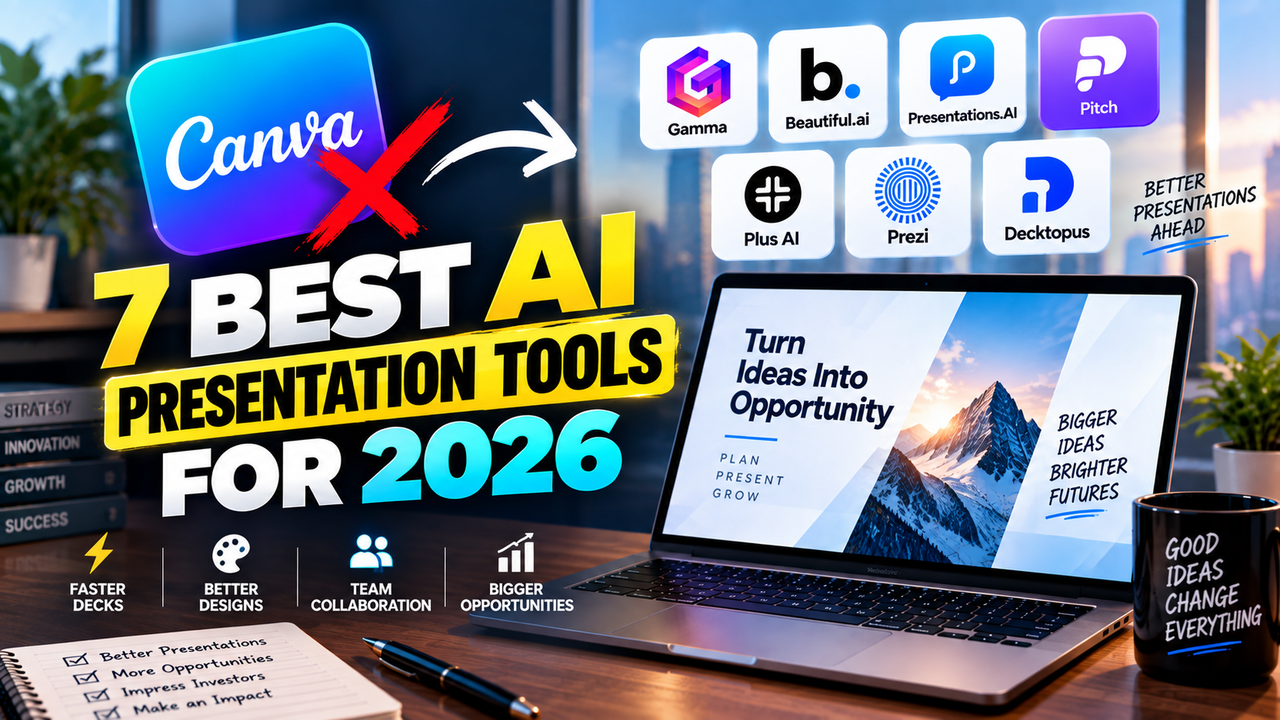
Canva is one of the most popular ways to make a presentation, but it's a broad design platform where slides are one feature among social graphics, video, documents and print. That breadth is the appeal for some people and the reason others look elsewhere: if presentations are your main job, a tool built specifically for them often generates better decks with less editing. The best Canva alternatives for presentations are Gamma for fast AI generation, Beautiful.ai for consistent business decks, Presentations.AI for decks built from a document, Pitch for team collaboration, Plus AI if you'd rather work inside PowerPoint or Google Slides, Prezi for a non-linear style, and Decktopus for a cheaper, simpler option.
Here's why you might switch, a quick comparison, and what each tool does better than Canva.
Why look for a Canva alternative?
Canva is genuinely capable, so it's worth being specific about what sends presentation-makers looking:
- The AI generation is weaker for structured decks. Canva's Magic Design produces a themed starting point, but for business decks its AI output usually needs more editing than a dedicated AI maker's — the copy is placeholder and the structure is generic.
- Presentations aren't the focus. Because Canva does everything, its slide editor is a general design canvas rather than a presentation-first tool, which can mean more manual work to reach a polished deck.
- No native Google Slides export. Canva exports PowerPoint, PDF and video, but if you live in Google Slides you'll be importing a .pptx and cleaning up the formatting.
- The best parts sit behind Pro. The Brand Kit, the full asset library and the larger AI allowance require Canva Pro ($15/month or $120/year), so the free plan is more limited than it first appears.
- It can be overkill. If you only make decks, paying for and navigating a whole design suite may be more than you need.
None of this makes Canva bad — it's excellent at breadth. These are just the gaps a dedicated tool can fill.
Canva alternatives compared
| Tool | Does better than Canva | Free option | From | PowerPoint | Google Slides |
|---|---|---|---|---|---|
| Gamma | Faster, stronger AI deck generation | Yes (400 one-time credits) | ~$8–10/mo | Export | Native export |
| Beautiful.ai | Consistent business decks, unlimited AI | No — 14-day trial | $12/mo (annual) | Import + export | No native |
| Presentations.AI | Decks built from a document/prompt | Yes (no PPTX on free) | ~$20/mo (annual) | Export (paid) | Export |
| Pitch | Team collaboration + deck analytics | Yes (~5 members) | ~$20/user/mo | Export | No native |
| Plus AI | AI inside PowerPoint / Google Slides | No — 7-day trial | ~$10–15/mo | Native (add-in) | Native (add-in) |
| Prezi | Non-linear, zooming presentations | Yes (public + branded) | ~$5–7/mo | Export (lossy) | No native |
| Decktopus | Cheaper, simpler, presenter coaching | Yes (limited) | ~$10–15/mo | Export | No native |
Prices are entry-level and change often — verify on each site. All figures verified September 2026.
Gamma — the top pick for AI-generated decks
Gamma is the most natural swap if what you want from Canva is better AI slide generation. It's a dedicated AI presentation maker: give it a prompt, an outline or a document and it builds a full, editable deck in its flexible card format, usually with cleaner first drafts than Canva's Magic Design because generation is the whole point of the product. It also does something Canva doesn't — a native Google Slides export — alongside PowerPoint and PDF. It has a genuine free plan (400 one-time AI credits with a "Made with Gamma" badge), and paid plans start around $8–10/user/month.
Does better than Canva: faster, stronger prompt-to-deck output and native Google Slides support. See the Gamma listing and the direct Gamma vs Canva comparison.
Beautiful.ai — for consistent, professional business decks
If your issue with Canva is the manual work and inconsistency, Beautiful.ai takes the opposite approach: its Smart Slides (300+ layouts) adjust their own spacing and alignment as you add content, so decks stay tidy without design effort. It also removes a Canva annoyance — every paid plan includes unlimited AI generation with no credit counting, versus Canva's shared Magic Studio credit pool. There's no free plan, only a 14-day trial (credit card required), though students and teachers get a year free with a .edu email. Pro is $12/month billed annually; Team is $40/user/month.
Does better than Canva: guaranteed design consistency for business decks and no credit rationing. See the Beautiful.ai listing.
Presentations.AI — for decks built from a document
If you usually start from existing material rather than a blank canvas, Presentations.AI is built for it. Marketed as "ChatGPT for presentations," it takes a prompt, a document, a PDF or a URL and generates a designed deck with data visualizations, refined through its AI assistant. Note the free-tier catch: the free Starter plan lets you create but can't export to PowerPoint — free export is a watermarked PDF or share link — while Pro (around $20/month billed annually) unlocks PowerPoint export, 5,000 credits and analytics.
Does better than Canva: turning an existing document into a business-ready deck with stronger data handling. See the Presentations.AI listing.
Pitch — for teams and tracking engagement
If you build decks with other people, Pitch beats Canva on collaboration. It pairs AI slide generation with best-in-class real-time co-editing and analytics that show who opened a shared deck and which slides held attention — useful for sales and fundraising. Its free plan is generous (up to about 5 members, unlimited decks, 100 one-time AI credits), and paid plans commonly start around $20/user/month. It exports to PowerPoint and PDF, with no native Google Slides.
Does better than Canva: real-time team editing plus engagement analytics after you send. See the Pitch listing.
Plus AI — if you'd rather stay in PowerPoint or Google Slides
Some people don't want to leave the tools they already use — and that's where Plus AI beats Canva. Instead of a separate app, it's an add-in that works inside PowerPoint and Google Slides, generating and editing full decks without any export or conversion step. There's no free plan, but a 7-day trial (credit card required). Paid plans start around $10–15/user/month, it's credit-metered, and it's SOC 2 Type II certified for business use.
Does better than Canva: it lives inside PowerPoint and Google Slides, so there's no round-trip. See the Plus AI listing and the round-up of the best AI add-ins for PowerPoint and Google Slides.
Prezi — for a completely different style
If you want to get away from conventional slides entirely, Prezi is the alternative. Instead of a slide sequence it uses a zooming canvas where you move spatially between ideas, and Prezi Video can put your presentation on screen beside you on Zoom or Teams. It added AI generation in 2025–2026. Its free Basic plan lets you create and publish, but presentations are public and carry Prezi branding, with only limited AI; unlimited AI, privacy, PDF export and PowerPoint import require a paid plan (Standard starts around $5–7/month, the more useful Plus tier is $15/month). Exporting to PowerPoint flattens the zoom effects, and the canvas has a learning curve.
Does better than Canva: a genuinely non-linear, visual-storytelling format. See the Prezi listing.
Decktopus — for a cheaper, simpler option
If Canva feels like too much tool, Decktopus is a lighter, cheaper single-purpose maker. It turns a prompt, pasted text or a PDF into a fully designed, branded deck, and its standout feature is the AI Presenter Coach, which predicts likely audience questions and quizzes you before you present. Its free tier is limited (signup credits, a small deck cap, Decktopus branding); paid plans start around $10–15/month, with 50% off for students. It exports to PowerPoint, PDF and PNG.
Does better than Canva: simplicity, a lower price, and help rehearsing the delivery. See the Decktopus listing.
Which Canva alternative should you pick?
- Best AI generation → Gamma
- Consistent business decks → Beautiful.ai
- A deck from a document → Presentations.AI
- Team editing and analytics → Pitch
- Stay inside PowerPoint or Google Slides → Plus AI
- A completely different style → Prezi
- Cheapest and simplest → Decktopus
Still deciding? How to choose an AI presentation tool walks through what matters, and do you actually need an AI presentation tool? is worth a read if you're not sure you need one. If budget is the driver, see best free AI presentation tools.
FAQ
What is the best Canva alternative for presentations? Gamma, for most people — it's a dedicated AI presentation maker that generates cleaner decks faster than Canva's Magic Design, and it exports natively to Google Slides.
Is there a free Canva alternative? Yes — Gamma and Pitch have usable free plans, and Prezi's free plan works if you don't mind public, branded presentations. See best free AI presentation tools.
Which Canva alternative works with Google Slides? Plus AI works natively inside Google Slides, and Gamma offers a native Google Slides export. More detail in can you use AI with Google Slides?
Why leave Canva for presentations? Usually because a dedicated tool generates better business decks with less editing, or because you want native Google Slides support, team analytics, or a cheaper single-purpose tool.
Listings related to Canva Alternatives: 7 Best AI Presentation Tools for 2026

Gamma
An AI presentation maker that turns a prompt or a pasted document into a finished-looking deck in about a minute. A standalone web app — great free plan for on-screen decks, but clean PowerPoint export and branding are paid.

Beautiful.ai
A standalone AI presentation app built on rule-based smart templates that auto-format every slide. Built for business teams who want on-brand, consistent decks without manual design — no free plan, editable PowerPoint export on every paid tier.
Pitch
A collaborative AI presentation tool that has grown into a "complete pitching platform" — shared teamspaces, AI deck generation, and trackable Pitch Rooms with engagement analytics. Built for sales and go-to-market teams, not solo one-off decks.

Plus AI
An AI add-in that generates and edits presentations natively inside Google Slides and PowerPoint — no separate app, no export step. Strong at improving existing decks, not just making new ones. Trial only, no free plan.
Prezi
Presentation software built on a zooming, non-linear canvas instead of a slide stack, now with Prezi AI generation and Prezi Video. Distinctive and memorable for live talks — but its PowerPoint export is static, not editable.
Decktopus
A guided, opinionated AI deck builder for non-designers that generates the slides plus delivery extras — speaker notes, audience Q&A, lead-capture forms, voiceover and hosting. Cheap entry point; no true free plan.