
Best AI Presentation Makers (2026): 7 Top Tools
Best AI Presentation Makers (2026): The 7 Tools Worth Your Time
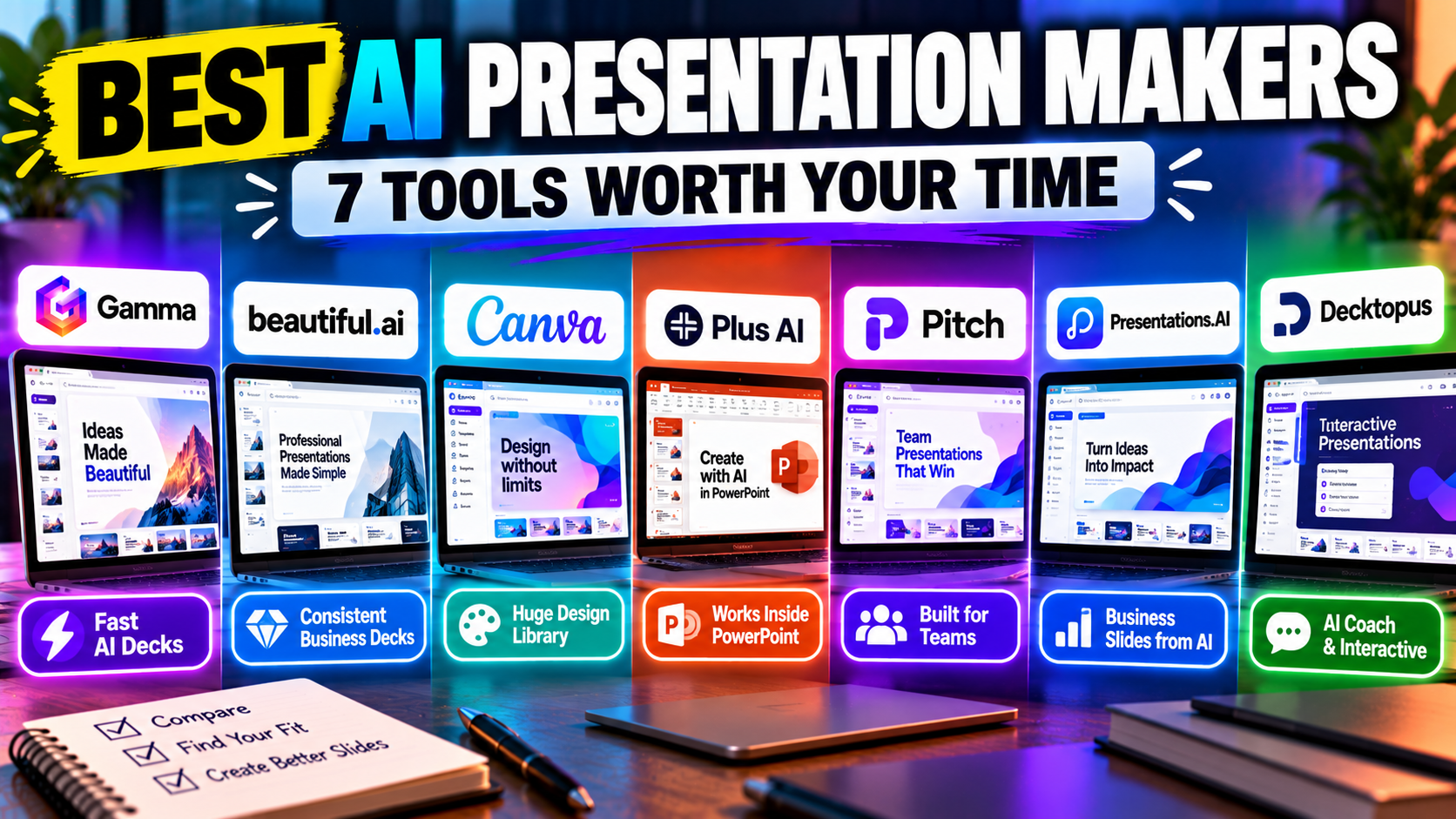
There's no single best AI presentation maker — the right one depends on how you work and where your finished deck needs to go. Here's the quick version: Gamma is the best all-round choice for fast, good-looking decks from a prompt; Beautiful.ai is best for consistent business decks; Canva is best if you want design range and already use it for other work; Plus AI is best if you want AI inside PowerPoint or Google Slides without switching tools; Pitch is best for teams building decks together; Presentations.AI is a strong prompt-to-deck option for business slides; and Decktopus is a quick, budget-friendly pick with a genuinely useful presenter-coaching feature.
Below is a side-by-side comparison, then a short, honest profile of each — what it does well, what it costs, and who it suits — so you can match a tool to your situation rather than trust a single "winner."
How these were compared
Each tool here was checked against the things that actually change your decision: what you can start from (a prompt, an outline, a document, a PDF), how good and how flexible the output is, what the free option really allows, what the paid plans cost, and — importantly — whether you can get the finished deck out as an editable PowerPoint or into Google Slides. Prices and limits move quickly in this category, so treat the figures as a guide and confirm on each site before paying. All details below were verified in September 2026.
AI presentation makers compared
| Tool | Best for | Free option | Paid from | PowerPoint | Google Slides | Standout |
|---|---|---|---|---|---|---|
| Gamma | Fast prompt-to-deck, online decks | Free plan (400 one-time credits) | ~$8–10/user/mo | Export (.pptx) | Native export | AI-native speed + card format |
| Canva | Design range; slides + other content | Free plan (200 lifetime credits) | Pro $15/mo (or $120/yr) | Export (.pptx) | Via PPTX import | Largest asset library, all-in-one |
| Beautiful.ai | Consistent business decks | No free plan (14-day trial) | Pro $12/mo (annual) | Import + export | No native | Smart Slides auto-design; unlimited AI |
| Presentations.AI | Business/sales decks from a prompt | Free (no PPTX; watermarked PDF) | Pro ~$20/mo (annual) | Export (Pro) | Export | "ChatGPT for slides"; data viz |
| Plus AI | AI inside PowerPoint/Google Slides | No free plan (7-day trial) | ~$10–15/user/mo | Native (add-in) | Native (add-in) | Works in your existing tool; no export step |
| Pitch | Team collaboration, sales decks | Free plan (~5 members, 100 credits) | ~$20/user/mo | Export (.pptx) | No native | Real-time co-editing + deck analytics |
| Decktopus | Quick branded decks; coaching | Free tier (limited, branded) | Pro ~$10–15/mo | Export (.pptx) | No native | AI Presenter Coach / Q&A mode |
Prices are entry-level and change often — verify on each provider's site before paying.
Gamma — best all-round AI deck maker
Gamma turns a prompt, an outline, or an imported file (PDF or PowerPoint) into a full, editable deck in its flexible "card" format, which can scroll and works well shared as a link. It has a genuine free plan (400 one-time AI credits — roughly eight generations — with a "Made with Gamma" badge), and paid plans start around $8–10 per user per month, metered by an AI credit allowance. It exports to PowerPoint and PDF and, unusually for this category, natively to Google Slides.
Best for people who want speed and polish without much manual design, or who share decks online. Watch-out: the free credits don't refresh, and heavy re-prompting draws down your monthly allowance faster than editing by hand. See the full Gamma listing, or compare it head-to-head in Gamma vs Canva and Gamma vs Beautiful.ai.
Beautiful.ai — best for consistent business decks
Beautiful.ai is built around Smart Slides: over 300 layouts that adjust their own spacing and alignment as you add content, so business decks stay consistent without manual formatting. Its AI assistant (DesignerBot) drafts from a prompt or your files, and every paid plan includes unlimited AI generation with no credit counting — a real contrast to the credit-metered tools here. There's no permanent free plan, only a 14-day trial that requires a credit card and auto-charges unless you cancel, though students and teachers get a year free with a .edu email. Pro is $12/month billed annually (much higher month-to-month); Team is $40/user/month. It imports and exports PowerPoint.
Best for professional and business decks where consistency matters more than creative freedom. Watch-out: no free tier, and some exports need cleanup before external delivery. Full Beautiful.ai listing; see also Beautiful.ai alternatives.
Canva — best for design range and repurposing
Canva is a broad design platform used by more than 150 million people, where AI presentations (Magic Design) are one feature among social graphics, video, documents, and print. Type a prompt and it assembles a themed deck from its huge template library with stock imagery and placeholder copy, which you then refine using the deepest asset library of any presentation tool. The free plan is genuinely usable (200 lifetime AI credits, basic Magic Design); Canva Pro is $15/month or $120/year and adds the Brand Kit, the full asset library, and roughly 20× the AI credits. It exports to PowerPoint, PDF, and MP4 video; there's no native Google Slides export.
Best for people who want design flexibility and to repurpose slides across formats. Watch-out: AI drafts for structured business decks need more editing than a dedicated maker's. Full Canva listing; compare it in Gamma vs Canva.
Plus AI — best for working inside PowerPoint and Google Slides
Plus AI is different from the rest here: instead of a separate platform, it's an add-in that works inside Google Slides and PowerPoint, generating and editing full decks from prompts, documents, or outlines without leaving the tool you already use — so there's no export or compatibility step. There's no free plan, but a 7-day trial (credit card required, 1,000 credits). Paid plans start around $10–15 per user per month, metered by credits, and it's SOC 2 Type II certified — a plus for business use.
Best for consultants, teams, and anyone who lives in PowerPoint or Google Slides and wants AI there. Watch-out: the PowerPoint experience is a little weaker than Google Slides, and outputs are starting points you'll refine. Full Plus AI listing; it also features in best AI add-ins for PowerPoint and Google Slides.
Pitch — best for team collaboration
Pitch is a collaborative presentation platform where AI slide generation sits alongside best-in-class real-time co-editing, review workflows, and analytics that track who opened a shared deck and which slides held attention — useful for sales and fundraising follow-up. Its free plan is one of the more generous in the category (up to about 5 members, unlimited decks, 100 one-time AI credits), with paid plans commonly around $20 per user per month (Pitch shows pricing dynamically, so verify) and a Business tier above. It exports to PowerPoint and PDF, with unbranded exports on paid plans.
Best for teams that co-produce decks and want to track engagement after sending. Watch-out: no native Google Slides export, and the free tier's AI credits don't renew. Full Pitch listing; see also best AI tools for building a pitch deck.
Presentations.AI — strong prompt-to-deck for business slides
Presentations.AI markets itself as "ChatGPT for presentations": describe a topic, or upload a document, PDF, or URL, and it generates a designed deck with data visualizations and interactive elements, refined through its AI assistant. It reports more than 12 million users and leans toward business, sales, and investor decks. Its free Starter plan lets you create but not export to PowerPoint — free export is a watermarked PDF or a share link — while Pro (around $20/month billed annually) unlocks high-quality PowerPoint export, 5,000 credits, and analytics.
Best for business slides generated from a prompt or an existing document. Watch-out: PowerPoint export is paid-only and can shift formatting, and adding new slides after generation is limited. Full Presentations.AI listing.
Decktopus — best budget pick with presenter coaching
Decktopus generates a fully designed, branded deck from a prompt, pasted text, or a PDF, and stands out for its AI Presenter Coach — it predicts likely audience questions and quizzes you before the meeting, which none of the other tools here do. Paste a URL and it applies your brand automatically. Its free tier is limited (signup credits, a small deck cap, Decktopus branding); paid plans start around $10–15/month (credit-metered, 750 credits on Pro), with 50% off for students. It exports to PowerPoint, PDF, and PNG.
Best for quick branded decks and anyone who wants delivery coaching before they present. Watch-out: it's solo-focused with limited team features, and exported PowerPoint isn't always cleanly editable. Full Decktopus listing.
Best for each situation
- Best overall: Gamma — fastest route from a prompt to a polished, editable deck.
- Best free plan: Gamma or Canva — the two most usable free tiers (see best free AI presentation tools).
- Best for business decks / design consistency: Beautiful.ai.
- Best inside PowerPoint or Google Slides: Plus AI.
- Best for teams: Pitch.
- Best on a budget: Decktopus.
- Best for business slides from a prompt or document: Presentations.AI.
How to choose the right one
Start from your endpoint. If the deck has to be an editable PowerPoint for a client or colleague, favour tools with strong .pptx export or that work inside PowerPoint (Plus AI, Beautiful.ai, Gamma). If you work in Google Slides, Plus AI (native add-in) or Gamma (native export) fit best. If a team edits together, Pitch leads on collaboration. If you just want the fastest good-looking deck, Gamma is hard to beat, and if you never want to see a "you've run out of credits" message, Beautiful.ai's unlimited generation is worth the annual commitment. For a full walk-through of the decision, see how to choose an AI presentation tool.
FAQ
What is the best free AI presentation maker? Gamma and Canva have the most usable free plans. Gamma gives 400 one-time credits with a badge; Canva gives 200 lifetime AI credits plus a large free design library. Beautiful.ai and Plus AI have no free plan (trials only). More detail in best free AI presentation tools.
Which AI tools make editable PowerPoint files? Most export .pptx, but fidelity varies and some exports need cleanup. Plus AI is different — it works natively inside PowerPoint, so there's no export step. See can AI create a PowerPoint presentation?
Which work with Google Slides? Plus AI (a native add-in) and Gamma (native export) are the strongest fits; most others route through a PowerPoint import. See can you use AI with Google Slides?
Do I need one if I already have PowerPoint? Not necessarily — Microsoft Copilot and add-ins like Plus AI bring AI into PowerPoint itself. See do you need an AI presentation tool?
The bottom line
The "best" AI presentation maker is the one that fits how you work and where your deck needs to end up. Gamma is the strongest all-rounder, Beautiful.ai the safest bet for consistent business decks, Canva the most flexible if you want design range, Plus AI the best if you want AI inside your existing tools, and Pitch the best for teams. Browse the full AI presentation makers category to compare them, and read the head-to-heads — Gamma vs Canva, Gamma vs Beautiful.ai, and Beautiful.ai vs Pitch — when you've narrowed it to two.
Pricing, plans, and features change often — check each product's site before relying on the details here.
Listings related to Best AI Presentation Makers (2026): 7 Top Tools
Gamma
An AI presentation maker that turns a prompt or a pasted document into a finished-looking deck in about a minute. A standalone web app — great free plan for on-screen decks, but clean PowerPoint export and branding are paid.
Canva
The presentation side of Canva's all-in-one design suite, with Magic Studio AI turning a prompt or document into an editable, template-based deck. Easiest on-ramp, generous free tier, editable PowerPoint in and out — but a generalist, not a specialist.

Beautiful.ai
A standalone AI presentation app built on rule-based smart templates that auto-format every slide. Built for business teams who want on-brand, consistent decks without manual design — no free plan, editable PowerPoint export on every paid tier.
Presentations.AI
A generative-AI-first presentation maker — "ChatGPT for presentations." You describe a deck and it builds the whole thing, then you refine conversationally. Genuine free plan; fast, but a thin independent track record so far.

Plus AI
An AI add-in that generates and edits presentations natively inside Google Slides and PowerPoint — no separate app, no export step. Strong at improving existing decks, not just making new ones. Trial only, no free plan.
Pitch
A collaborative AI presentation tool that has grown into a "complete pitching platform" — shared teamspaces, AI deck generation, and trackable Pitch Rooms with engagement analytics. Built for sales and go-to-market teams, not solo one-off decks.
Decktopus
A guided, opinionated AI deck builder for non-designers that generates the slides plus delivery extras — speaker notes, audience Q&A, lead-capture forms, voiceover and hosting. Cheap entry point; no true free plan.