
Beautiful.ai vs Pitch: Which AI Presentation Tool for Your Team? (2026)
Beautiful.ai vs Pitch: Which AI Presentation Tool for Your Team? (2026)
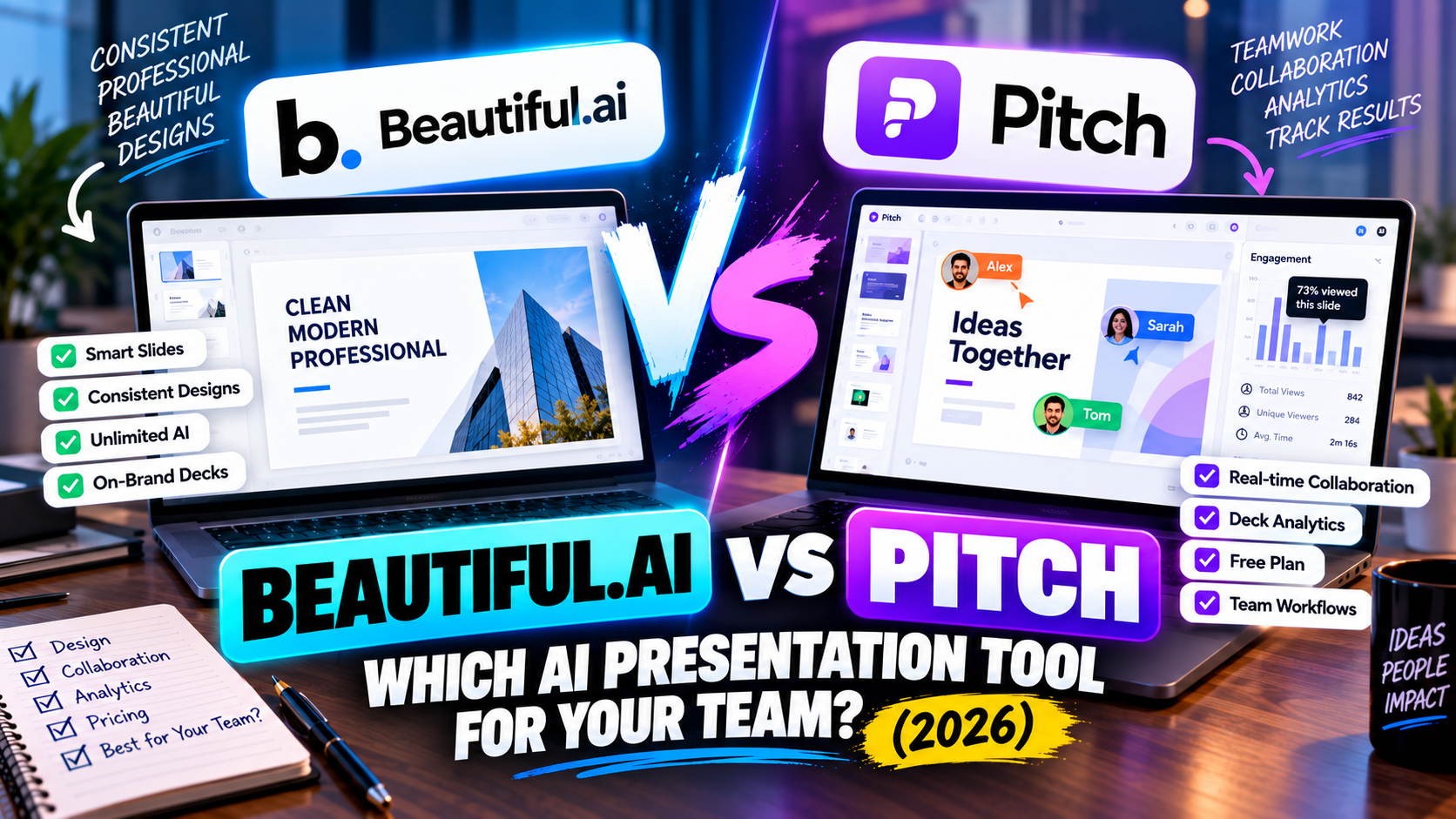
Beautiful.ai and Pitch both aim at business and team decks, but they solve different halves of the problem. Beautiful.ai is about the slides looking right — its Smart Slides auto-arrange as you add content, so every deck comes out consistent without design work. Pitch is about the team making the deck together and seeing what happens after it's sent — real-time editing and analytics that show who opened it. One optimises for polish; the other for collaboration.
There's also a simple practical split: Pitch has a free plan and Beautiful.ai doesn't. If you want to try before paying, or your priority is a team building and tracking decks, Pitch leans ahead. If your priority is decks that always look tidy and on-brand with unlimited AI generation, Beautiful.ai does that better. Here's the full comparison.
The short answer
Pick Beautiful.ai for consistently polished business decks, design done for you, and unlimited AI with no credit counting. Pick Pitch if a team builds decks together, you want to track who reads them, and a free plan matters. Note the entry difference up front: Beautiful.ai is trial-only; Pitch has a real free tier.
Beautiful.ai vs Pitch at a glance
| Feature | Beautiful.ai | Pitch |
|---|---|---|
| What it is | Design-automation deck tool (Smart Slides) | Collaborative deck platform with AI |
| Best for | Consistent, on-brand business decks | Teams building and tracking decks |
| How you start | Prompt (DesignerBot), Smart Slide templates | Prompt, templates, or scratch |
| AI approach | AI drafts; layouts auto-adjust | AI drafts slides; workflow is collaboration-first |
| Free option | No — 14-day trial (card) | Free plan (~5 members) |
| Free/trial detail | .edu = 1 year free; otherwise card required | ~5 members, unlimited decks, 100 one-time AI credits |
| Paid entry | Pro $12/mo (annual; ~$45 monthly) | ~$20/user/mo (dynamic) |
| Team plan | Team $40/user/mo (2–20 seats) | Business tier above free |
| AI usage model | Unlimited AI, no credits | Limited AI credits; collaboration unlimited |
| Editing model | Fixed slides with design guardrails | Standard slides, real-time co-editing |
| Design control | Auto-consistent (guardrailed) | Manual + modern templates |
| Templates | 300+ Smart Slide layouts | Modern template library |
| Collaboration | Real-time (Team tier) | Real-time co-editing (best-in-class) |
| Analytics | Engagement analytics (Team) | Deck view analytics (who / which slides) |
| Brand controls | Custom themes + brand guardrails | Brand kit / templates (paid) |
| PowerPoint export | Import + export (.pptx) | Export (.pptx) + PDF |
| Google Slides export | No native | No native |
| Other export | ||
| Differentiator | Auto-design consistency + unlimited AI | Team collaboration + analytics + free tier |
| Learning curve | Low | Low |
Prices are entry-level and change often — verify on each site. Figures verified September 2026.
How each one works
Beautiful.ai builds decks from Smart Slides — over 300 layouts that adjust their own spacing and alignment as you drop in content, so you can't really make an untidy slide. Its DesignerBot AI drafts from a prompt or your files, and every paid plan includes unlimited AI generation with no credits to ration. The emphasis is on the output looking professional with minimal effort.
Pitch is built around the team. AI drafts slides, but the day-to-day is several people editing a deck live, leaving comments, splitting up slides and pulling from a shared brand library — then, once it's shared, seeing who opened the deck and which slides held attention. It's less about automating design and more about the workflow and the follow-up.
So Beautiful.ai makes each slide look good on its own; Pitch makes the team (and the tracking) work well.
Design and output
Beautiful.ai is the stronger tool if consistency is the goal — its guardrails guarantee a coherent, on-brand deck, which is exactly what you want for investor updates and reports. The cost is creative freedom: you work within the Smart Slide layouts.
Pitch gives you cleaner manual control and modern templates, which teams like for keeping a shared look, but it won't auto-fix your layout the way Beautiful.ai does. If "always looks tidy without thinking about it" matters most, Beautiful.ai; if "our team keeps it on-brand together" matters most, Pitch.
Free plan vs no free plan
This is the clearest practical difference. Pitch has a genuine free plan — up to about five members, unlimited decks, real-time collaboration, and 100 one-time AI credits — so a small team can start for nothing. Beautiful.ai has no free plan at all, only a 14-day trial that needs a credit card and charges automatically unless you cancel (students and teachers get a year free with a .edu email). If a free way in is important, Pitch wins this one outright.
Pricing
Beautiful.ai's Pro is $12/month billed annually (around $45 month-to-month), and Team is $40/user/month for 2–20 seats, adding collaboration, brand themes and analytics. The value is unlimited AI and guaranteed design consistency.
Pitch prices per seat and dynamically, generally starting around $20/user/month with a Business tier above. The value is collaboration and engagement analytics.
For a solo user who wants polished decks cheaply, Beautiful.ai's annual Pro is attractive. For a team whose priority is working together and tracking decks, Pitch's per-seat model fits — and it has the free tier to start on.
The AI difference: unlimited vs credits
Worth calling out because it can matter for heavy users. Beautiful.ai includes unlimited AI generation with no credit tracking, so you can regenerate freely. Pitch's AI generation runs on a limited credit allowance (its free tier is 100 one-time credits), because AI generation isn't the core of the product — collaboration is. If you'll lean hard on AI drafting, Beautiful.ai removes that ceiling.
PowerPoint and Google Slides
Both import/export PowerPoint (Pitch also exports PDF; Beautiful.ai imports and exports .pptx), and both may need a small cleanup on export. Neither offers a native Google Slides export — you'd route through a PowerPoint file. If Google Slides is central to your workflow, keep that in mind; see can you use AI with Google Slides? for tools that do it natively.
Choose Beautiful.ai if…
- You want every deck to look consistent and on-brand with little effort.
- You'll use AI generation heavily and don't want to track credits.
- Polished business decks matter more than live team editing.
Choose Pitch if…
- A team builds decks together and edits in real time.
- You want to see who opened your deck and which slides they viewed.
- You want a free plan to start on.
Can you use both?
Some organisations do — Beautiful.ai for formal, design-consistent decks (board updates, investor reports) and Pitch for collaborative sales decks where tracking matters. Both export PowerPoint, so a deck can move between them with the usual minor formatting fix-ups.
The bottom line
Beautiful.ai and Pitch are both good, but they reward different priorities. Beautiful.ai is the one for consistently polished decks and unlimited AI, as long as you're happy to pay from the start. Pitch is the one for team collaboration and engagement tracking, and it lets a small team begin for free. Decide whether your bottleneck is design or teamwork, and the choice follows.
For more context, Gamma vs Beautiful.ai covers Beautiful.ai against a fast AI maker, and both tools are common for fundraising — see the best AI tools for building a pitch deck. Building for a group? AI presentation tools for teams and brand consistency is relevant, and if you're still deciding, how to choose an AI presentation tool.
Pricing and features change often — check each product's site before relying on the details here.
FAQ
Is Beautiful.ai or Pitch better? Beautiful.ai for consistently polished decks and unlimited AI; Pitch for team collaboration, engagement analytics and a free plan. Different priorities.
Does Beautiful.ai or Pitch have a free plan? Pitch does (up to ~5 members, unlimited decks, 100 one-time AI credits). Beautiful.ai doesn't — only a 14-day trial, plus a free year for students/teachers with a .edu email.
Which has better analytics? Both offer engagement analytics, but Pitch's are more central — it's built to show who opened a deck and which slides they viewed.
Do they work with Google Slides? Neither exports natively; you'd import a PowerPoint file into Google Slides with both.
Listings related to Beautiful.ai vs Pitch: Which AI Presentation Tool for Your Team? (2026)

Beautiful.ai
A standalone AI presentation app built on rule-based smart templates that auto-format every slide. Built for business teams who want on-brand, consistent decks without manual design — no free plan, editable PowerPoint export on every paid tier.
Pitch
A collaborative AI presentation tool that has grown into a "complete pitching platform" — shared teamspaces, AI deck generation, and trackable Pitch Rooms with engagement analytics. Built for sales and go-to-market teams, not solo one-off decks.