
Beautiful.ai vs Canva for Presentations
Beautiful.ai vs Canva: Which Should You Use for Presentations? (2026)
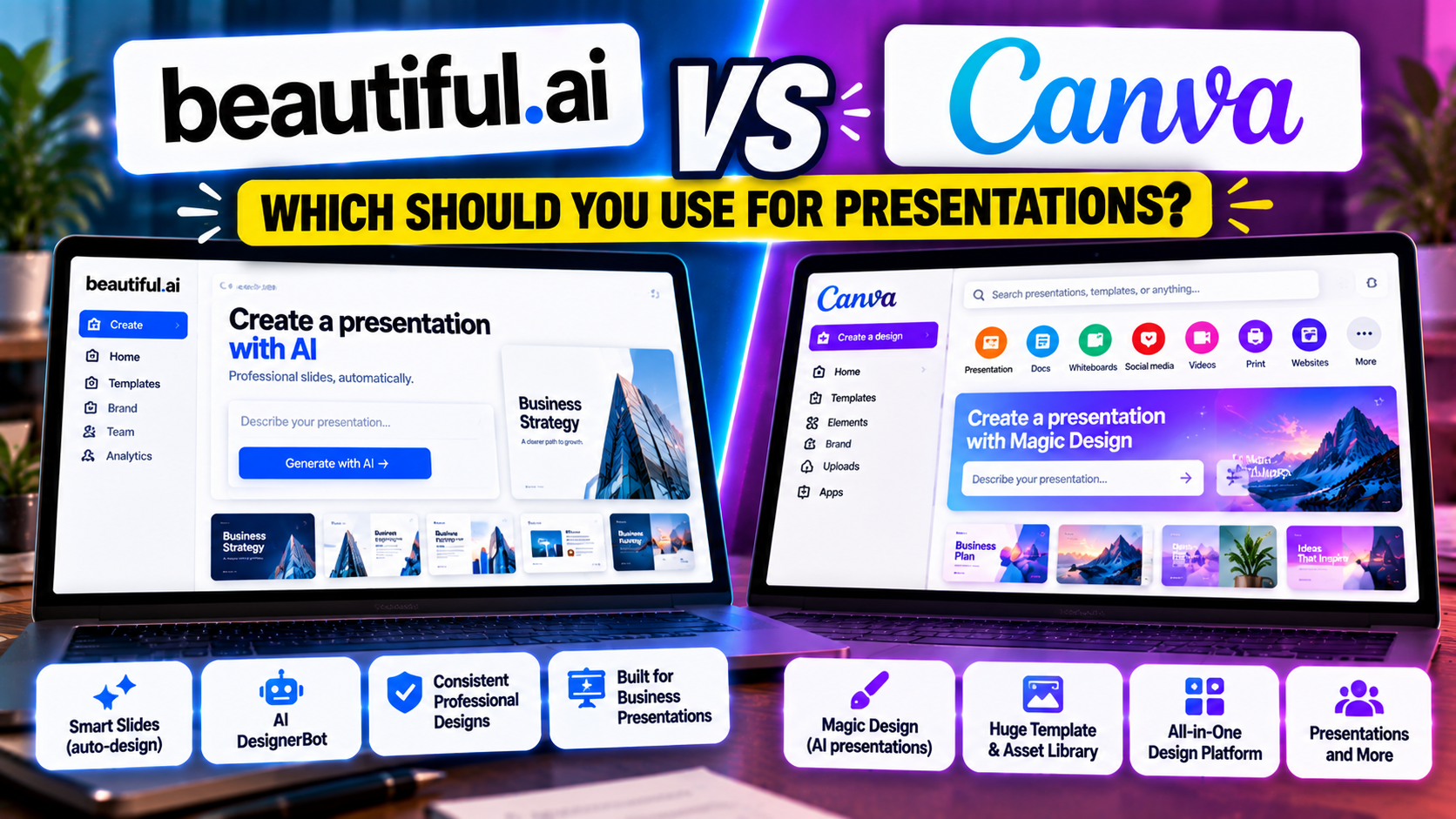
If you're weighing Beautiful.ai against Canva for presentations, you're comparing a specialist with a generalist. Beautiful.ai is built to do one thing well: produce clean, consistent, professional decks using "Smart Slides" that format themselves as you add content. Canva is an all-in-one design platform used by more than 150 million people, where AI presentations are one feature alongside social graphics, video, documents, and print. Beautiful.ai has no free plan (a 14-day trial only); Canva has a free tier you can use indefinitely.
The short way to choose: Beautiful.ai is the better tool if your priority is polished business decks with design handled for you. Canva is the better tool if you want a free start, the largest library of templates and assets anywhere, and slides that live alongside the rest of your branded content.
The short answer
Choose Beautiful.ai if you mainly build professional presentations — investor decks, sales decks, reports — and want consistency without manual design work. Choose Canva if you want a free way in, huge design flexibility and asset choice, and a single tool for presentations plus everything else visual.
Beautiful.ai vs Canva at a glance
| Feature | Beautiful.ai | Canva |
|---|---|---|
| What it is | Dedicated design-automation presentation tool | Broad all-in-one design platform |
| Best for | Consistent, on-brand business decks | Design range; slides among other content |
| How you start | Prompt (DesignerBot), Smart Slides, files/links | Prompt (Magic Design), template, or scratch |
| AI approach | DesignerBot drafts; layouts auto-adjust | Magic Design picks layouts + stock + placeholder copy |
| Free option | No free plan — 14-day trial (card required) | Free plan |
| Free limits | Trial only (full access 14 days); .edu = 1 year free | 200 lifetime AI credits (shared), basic Magic Design |
| Paid entry | Pro $12/mo billed annually (~$45 monthly) | Canva Pro $15/mo (or $120/yr) |
| Higher tiers | Team $40/user/mo (2–20 seats); Enterprise custom | Teams/Enterprise above Pro |
| AI usage model | Unlimited AI generation, no credits | Shared Magic Studio credit pool (Pro ~20× free) |
| Editing model | Fixed slides with design guardrails | Full editor, standard slides |
| Templates / design | 300+ Smart Slide layouts | Very large template library |
| Asset library | Presentation-focused; AI images | 100M+ photos, icons, graphics |
| PowerPoint export | Import + export (.pptx) | Export (.pptx) |
| Google Slides export | No native export | No native (via PPTX import) |
| PDF / other export | PDF, MP4 video | |
| Collaboration | Real-time collaboration (Team) | Real-time collaboration |
| Brand controls | Custom themes + brand guardrails | Brand Kit (Pro) |
| Analytics | Engagement analytics | Limited |
| Differentiator | Auto-design consistency + unlimited AI | Largest asset library + all-in-one suite |
| Learning curve | Low | Low–moderate |
Pricing and limits change often — confirm on each site before paying.
How each one works
Beautiful.ai builds decks from Smart Slides: over 300 layouts that automatically adjust as you add content, so slides stay aligned and consistent without manual formatting. Its AI (DesignerBot) can draft a deck from a prompt, pull in content from files or links, generate images, and create data visualizations. The point of the tool is that the design looks after itself.
Canva builds presentations inside a much larger design suite. Its AI feature, Magic Design for Presentations, turns a prompt into a themed deck by choosing layouts from Canva's template library, adding stock imagery, and writing placeholder copy. From there you're in Canva's editor with access to an enormous asset library, image generation, a writing assistant, and the ability to resize the same content into social posts or video. Canva gives you range and assets; you make more of the design decisions yourself.
The difference: Beautiful.ai keeps you on rails for consistency; Canva hands you a full toolkit and a huge library and lets you build freely.
Design and output
Beautiful.ai's strength is that decks come out consistent and professional with little effort, which suits business contexts where a coherent look matters more than creative flourish. The limit is flexibility — you work within the Smart Slide layouts.
Canva's strength is flexibility and assets. With the largest library of any presentation tool and deep editing tools, you can make highly customized, on-brand slides — but the AI-generated starting point for structured business decks is rougher than a dedicated tool's, so expect to edit copy and rework slides before a serious meeting.
Free plan vs free trial
Canva has a genuine free plan: basic Magic Design plus 200 lifetime AI credits shared across its Magic Studio tools, and a large amount of free design content. It's enough to build presentations manually and try the AI, though the Brand Kit, premium assets, and a bigger AI allowance are Pro features.
Beautiful.ai has no permanent free plan — a 14-day trial of Pro or Team with full access, requiring a credit card that auto-charges unless cancelled. Students and teachers can get a year free with a .edu email. If a free start is important, Canva is the easier option.
Pricing compared
Beautiful.ai's Pro is $12 per month billed annually (month-to-month is much higher, around $45). Team is $40 per user per month billed annually for 2–20 seats, adding collaboration, shared libraries, brand themes, and analytics. Enterprise is custom.
Canva Pro is $15 per month or $120 per year for a single user, unlocking the Brand Kit, the full asset library, background removal, and roughly 20x the free AI credit allowance. Team and enterprise plans sit above Pro. Because Canva Pro covers a whole design suite, its value depends on whether you'll use more than presentations.
If you only make presentations, Beautiful.ai's annual Pro is slightly cheaper and purpose-built. If you'll also do social, video, and other design, Canva Pro can be better overall value.
PowerPoint and Google Slides
Beautiful.ai imports and exports PowerPoint (.pptx), and some exports need a cleanup pass before external delivery. Canva exports to .pptx, PDF, and MP4 video; its PowerPoint export preserves most layouts, but Canva-specific elements like custom fonts and complex shapes may render differently in PowerPoint.
Neither offers a native Google Slides export. With Canva you'd download a PowerPoint file and import it into Google Slides; Beautiful.ai is the same PowerPoint-first route. If Google Slides is your destination, know that both involve an import step where formatting can shift. For a native Google Slides workflow, a tool like Gamma or a dedicated add-in is a better fit — see can you use AI with Google Slides?.
Choose Beautiful.ai if…
- You mainly build professional business decks and want consistency handled automatically.
- You regenerate content often and prefer unlimited AI over a shared credit pool.
- You need presentation-focused team features like brand themes and analytics.
Choose Canva if…
- You want a free way to start and a huge library of templates and assets.
- You need presentations alongside social, video, documents, and print in one place.
- You value design flexibility and repurposing content across formats.
Can you use both?
Some teams do: Beautiful.ai for recurring, consistent business decks and Canva for everything else visual, or Canva's assets and brand kit for marketing decks with Beautiful.ai for formal ones. Both export PowerPoint, so decks can move between them with the usual formatting caveats.
If you're paying for one: a free start, assets, and design range point to Canva; consistent business decks with less effort point to Beautiful.ai.
The bottom line
Beautiful.ai and Canva solve different problems. Beautiful.ai is a focused, design-automation presentation tool that makes professional decks consistent with little effort — best when slides are the job and polish matters. Canva is a broad design platform with a free tier and the deepest asset library available, best when presentations are one part of a wider stream of branded content and you want flexibility.
To go deeper, see our full Beautiful.ai listing and Canva listing. For the wider field, the AI presentation makers category and the Beautiful.ai alternatives and Canva alternatives guides are good next reads. If a fast, free, prompt-first tool appeals more, compare Gamma vs Canva and Gamma vs Beautiful.ai. Still deciding what type of tool you need? Try how to choose an AI presentation tool.
Pricing, plans, and features change often — check each product's site before relying on the details here.
FAQ
Is Canva or Beautiful.ai free? Canva has a free plan with basic Magic Design and 200 lifetime AI credits. Beautiful.ai has no free plan — only a 14-day trial that needs a credit card.
Which is better for professional business decks? Beautiful.ai, generally — its Smart Slides keep decks consistent with little effort. Canva offers more range but its AI drafts need more editing for formal decks.
Do they export to PowerPoint and Google Slides? Both export PowerPoint (.pptx). Neither exports natively to Google Slides; you'd import a PowerPoint file into Google Slides.
Which is cheaper? Beautiful.ai Pro ($12/month annually) is slightly cheaper than Canva Pro ($15/month), but Canva Pro includes a whole design suite beyond presentations.
Listings related to Beautiful.ai vs Canva for Presentations

Beautiful.ai
A standalone AI presentation app built on rule-based smart templates that auto-format every slide. Built for business teams who want on-brand, consistent decks without manual design — no free plan, editable PowerPoint export on every paid tier.
Canva
The presentation side of Canva's all-in-one design suite, with Magic Studio AI turning a prompt or document into an editable, template-based deck. Easiest on-ramp, generous free tier, editable PowerPoint in and out — but a generalist, not a specialist.
Gamma
An AI presentation maker that turns a prompt or a pasted document into a finished-looking deck in about a minute. A standalone web app — great free plan for on-screen decks, but clean PowerPoint export and branding are paid.