
Is Gamma Free? What the Free Plan Includes and Where It Stops
Is Gamma Free? What the Free Plan Includes and Where It Stops
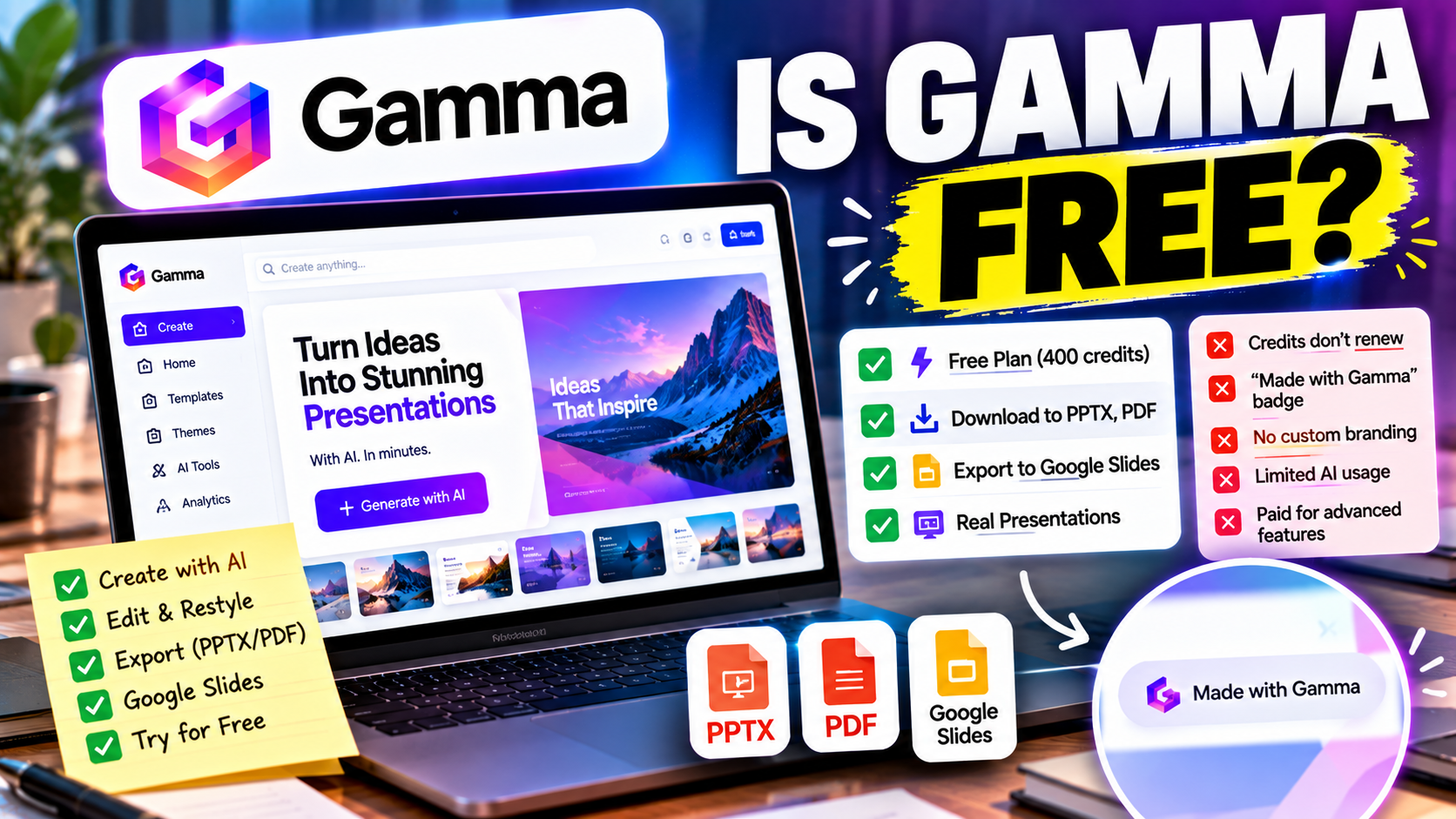
Yes, Gamma has a free plan, and you can make real presentations on it without entering a card. The catch is how "free" works: you get a one-time pool of AI credits that never refreshes, and everything you share or export carries a "Made with Gamma" badge. For trying the tool, that is plenty. For delivering a client-ready deck, you will probably want to upgrade.
Here is exactly what that means in practice.
The free plan at a glance
| Gamma Free | |
|---|---|
| Price | $0, no card needed to start |
| AI credits | 400, one-time (they do not renew monthly) |
| Branding | "Made with Gamma" badge on shared links and exports |
| PDF export | Yes, with the badge |
| PowerPoint (PPTX) export | Yes, with the badge |
| Deck storage | Not capped by Gamma; your limit is the credit pool |
| Custom themes, fonts, domain, badge removal | Paid |
Checked 1 October 2026 against Gamma's documentation and independent reviews. Plans change, so confirm on Gamma's pricing page before relying on any number.
The part most people miss: credits do not come back
Most free plans give you a monthly allowance. Gamma's free plan does not. The 400 credits are a lifetime budget. Once they are spent, you cannot generate new decks on the free plan until you pay.
How far 400 credits go depends on how you use them. Generating a full deck from a prompt costs more than tweaking a single card, and every time you regenerate a section you spend credits again. One third-party estimate puts the free pool at a few dozen decks if you generate carefully, but that is an estimate rather than a promise, and heavy editing with the AI will shrink it quickly.
A sensible way to use the free plan: spend the first credits on one real deck you actually need, and judge the tool on that rather than on throwaway prompts.
What the badge means for you
Every deck shared by link or exported on the free plan shows "Made with Gamma." Gamma's own documentation says the badge is removed on the paid Plus and Pro plans.
Whether that matters depends on the audience:
- Personal use, class projects, internal drafts: the badge is a non-issue.
- A pitch to investors or a client proposal: it signals "free tool," which is not the message most people want to send.
- Anything you will hand to someone who re-edits it in PowerPoint: you will be deleting badges on every slide, so the free export saves less time than it seems.
Can you export on the free plan?
You can. Gamma's guidance lists PDF and PowerPoint export as available on all plans, with the badge removed on paid tiers. There is also an export to Google Slides, which Gamma added in 2025.
Two cautions. First, Gamma builds decks from scrollable cards rather than fixed 16:9 slides, so exported PowerPoint files can need formatting cleanup, particularly with custom fonts, gradients and anything interactive. Second, some third-party reviewers describe free-plan PowerPoint exports as less flexible than paid ones. Gamma's own materials say PPTX is available on every plan, so the practical advice is simple: export one finished deck before you commit to the workflow and open it in PowerPoint to see what you are getting. Our guide on whether AI can create a PowerPoint presentation explains the difference between native PowerPoint creation and exporting into it.
What you get by paying
Gamma's paid plans start with Plus at roughly $10 a month (a little less on annual billing) and Pro at roughly $18 to $20. The practical differences:
- The badge is removed from shared links and exports.
- Your AI usage is no longer limited by the one-time 400-credit pool. Standard presentation generation is included, while advanced models and agent-style edits draw on a monthly credit allowance.
- Custom branding options such as your own theme, fonts and domain become available.
If you are weighing the jump, the question is not "is Plus worth $10?" in the abstract. It is "will I make more than a couple of decks I want to show other people?" If yes, paying is usually cheaper than the time you would spend working around the free limits.
Who the free plan is enough for
Gamma Free works well if you are:
- Testing whether the card-based format suits you.
- Making one or two decks for a class, a team update or an internal meeting.
- Producing a rough first draft that you will export and finish elsewhere anyway.
It is a poor fit if you need to present to clients regularly, want your own branding, or expect to keep generating and regenerating over months.
Free alternatives worth comparing
Gamma is not the only tool with a no-card free tier, and the free plans differ in what they restrict:
- Pitch has a free plan with unlimited presentations, PDF export and up to five workspace members, plus a small one-time AI credit pool.
- Presentations.AI offers a free Starter plan with a limited allowance of AI credits and a slide cap.
- Canva has a free plan with limits on its AI tools.
- SlidesAI has a very small free allowance that suits occasional use.
- Beautiful.ai has no permanent free plan, only a trial.
For a side-by-side of what each free tier really restricts, see our roundup of the best free AI presentation tools. And if you are still deciding whether Gamma is the right tool at all, Gamma vs Canva and Gamma vs Beautiful.ai cover the two comparisons people ask about most.
The short answer
Gamma is free to start, and the free plan is usable, but it is built as a trial: a one-time credit pool, a badge on everything, and paywalls around branding. Use it to find out whether you like the format. If you do, plan on Plus.
Ready to compare it with other options? Browse Gamma's listing for the full breakdown, or explore the AI presentation makers category to see how it stacks up.
Listings related to Is Gamma Free? What the Free Plan Includes and Where It Stops
Pitch
A collaborative AI presentation tool that has grown into a "complete pitching platform" — shared teamspaces, AI deck generation, and trackable Pitch Rooms with engagement analytics. Built for sales and go-to-market teams, not solo one-off decks.

Presentations.AI
A generative-AI-first presentation maker — "ChatGPT for presentations." You describe a deck and it builds the whole thing, then you refine conversationally. Genuine free plan; fast, but a thin independent track record so far.
Canva
The presentation side of Canva's all-in-one design suite, with Magic Studio AI turning a prompt or document into an editable, template-based deck. Easiest on-ramp, generous free tier, editable PowerPoint in and out — but a generalist, not a specialist.

SlidesAI
A lightweight text-to-slides add-in for Google Slides and PowerPoint: paste notes, a topic or a document and it generates a starter deck. Genuine free plan, low price, huge install base — thin on design and editing.

Beautiful.ai
A standalone AI presentation app built on rule-based smart templates that auto-format every slide. Built for business teams who want on-brand, consistent decks without manual design — no free plan, editable PowerPoint export on every paid tier.

Gamma
An AI presentation maker that turns a prompt or a pasted document into a finished-looking deck in about a minute. A standalone web app — great free plan for on-screen decks, but clean PowerPoint export and branding are paid.