
Is Beautiful.ai Free? The Trial, the Price and What to Do Instead
Is Beautiful.ai Free? The Trial, the Price and What to Do Instead
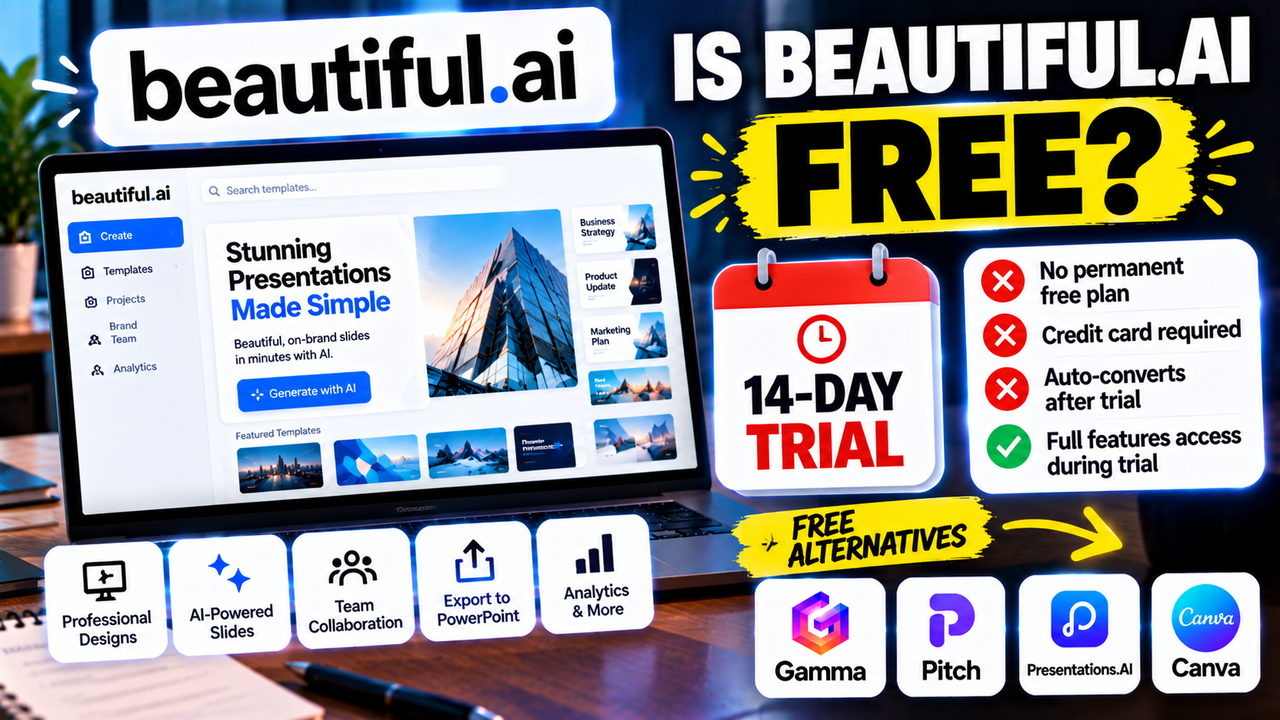
Beautiful.ai does not have a permanent free plan. What it offers is a 14-day free trial of its paid features, and according to current pricing reports it asks for a credit card up front and charges you automatically when the trial ends unless you cancel first. If you are hoping to make presentations for nothing, this is the wrong tool; if you want to test a polished, design-consistent maker before paying, the trial is a reasonable way in.
Here is how the trial and pricing work, and what your options are if you want to stay free.
What Beautiful.ai costs
Prices checked 1 October 2026. Sources differ by a few dollars on the annual rate, so treat these as approximate and confirm on Beautiful.ai's pricing page.
| Plan | Monthly billing | Annual billing | Built for |
|---|---|---|---|
| Pro | about $45/month | about $12–14.50/month | Individuals |
| Teams | about $50/user/month | about $40/user/month | Collaboration (2+ seats) |
| Enterprise | Custom | Custom | Larger organisations (20+ seats) |
The gap between monthly and annual pricing on Pro is large. Paying month to month costs several times more than committing for a year, so if you know you will use it, the annual plan is the one to look at.
How the 14-day trial works
The trial gives you access to Pro or Teams features for 14 days. The details that catch people out:
- A card is required to start. There is no card-free route.
- It converts to a paid plan automatically. If you do nothing, you are charged when the trial ends.
- It is full access, not a demo. You can build real decks, which makes it a fair test.
If you try it, set a calendar reminder for day 12 and decide before you are billed. Cancelling takes seconds and costs nothing, but it has to happen before the trial expires.
What you get when you pay
Beautiful.ai's pitch is automated design: slides that rearrange themselves to stay consistent as you add content. The paid plans include:
- AI content and image generation, which reviews describe as unlimited on paid tiers.
- PowerPoint import and export on all paid plans, plus PDF export.
- On Teams: real-time collaborative editing, a shared slide and template library, locked slides, version control and viewer analytics.
That last group is what you are really paying extra for on Teams. Individuals who only need clean, consistent slides can usually stay on Pro.
Is it worth paying for?
It depends on what you are replacing. Beautiful.ai tends to suit people who make business decks regularly and care that every slide looks deliberate without manual alignment work. If you build a few presentations a month, the annual Pro price works out to roughly the cost of one lunch per month for tidier output and less formatting time.
It is harder to justify if you present occasionally, because a monthly subscription for a handful of decks costs more than free alternatives, and the best of those are good enough for most uses.
If you want a free plan, try these
Several tools in the directory let you start without paying or entering a card. They restrict different things, so check which restriction would affect you:
- Gamma has a free plan with a one-time credit pool and a "Made with Gamma" badge on exports.
- Pitch has a free plan with unlimited presentations, PDF export and up to five workspace members.
- Presentations.AI has a free Starter plan with limited credits and a slide cap.
- Canva has a free plan with limits on its AI features.
For a closer look at what each free plan restricts, our best free AI presentation tools guide goes through them.
Should you try the trial?
A quick way to decide:
- Try it if you want the design to look professional with minimal effort and you will use it often enough to justify an annual plan.
- Skip it if your main goal is spending nothing, or you need a free tool for occasional use.
- Compare first if you are choosing between Beautiful.ai and Gamma. Our Gamma vs Beautiful.ai comparison covers the differences that actually affect the decision.
Next step
Read the full Beautiful.ai listing for plan details and features, or browse the AI presentation makers category to compare it with similar tools before you start a trial.
Listings related to Is Beautiful.ai Free? The Trial, the Price and What to Do Instead

Gamma
An AI presentation maker that turns a prompt or a pasted document into a finished-looking deck in about a minute. A standalone web app — great free plan for on-screen decks, but clean PowerPoint export and branding are paid.
Pitch
A collaborative AI presentation tool that has grown into a "complete pitching platform" — shared teamspaces, AI deck generation, and trackable Pitch Rooms with engagement analytics. Built for sales and go-to-market teams, not solo one-off decks.
Presentations.AI
A generative-AI-first presentation maker — "ChatGPT for presentations." You describe a deck and it builds the whole thing, then you refine conversationally. Genuine free plan; fast, but a thin independent track record so far.
Canva
The presentation side of Canva's all-in-one design suite, with Magic Studio AI turning a prompt or document into an editable, template-based deck. Easiest on-ramp, generous free tier, editable PowerPoint in and out — but a generalist, not a specialist.
Beautiful.ai
A standalone AI presentation app built on rule-based smart templates that auto-format every slide. Built for business teams who want on-brand, consistent decks without manual design — no free plan, editable PowerPoint export on every paid tier.