
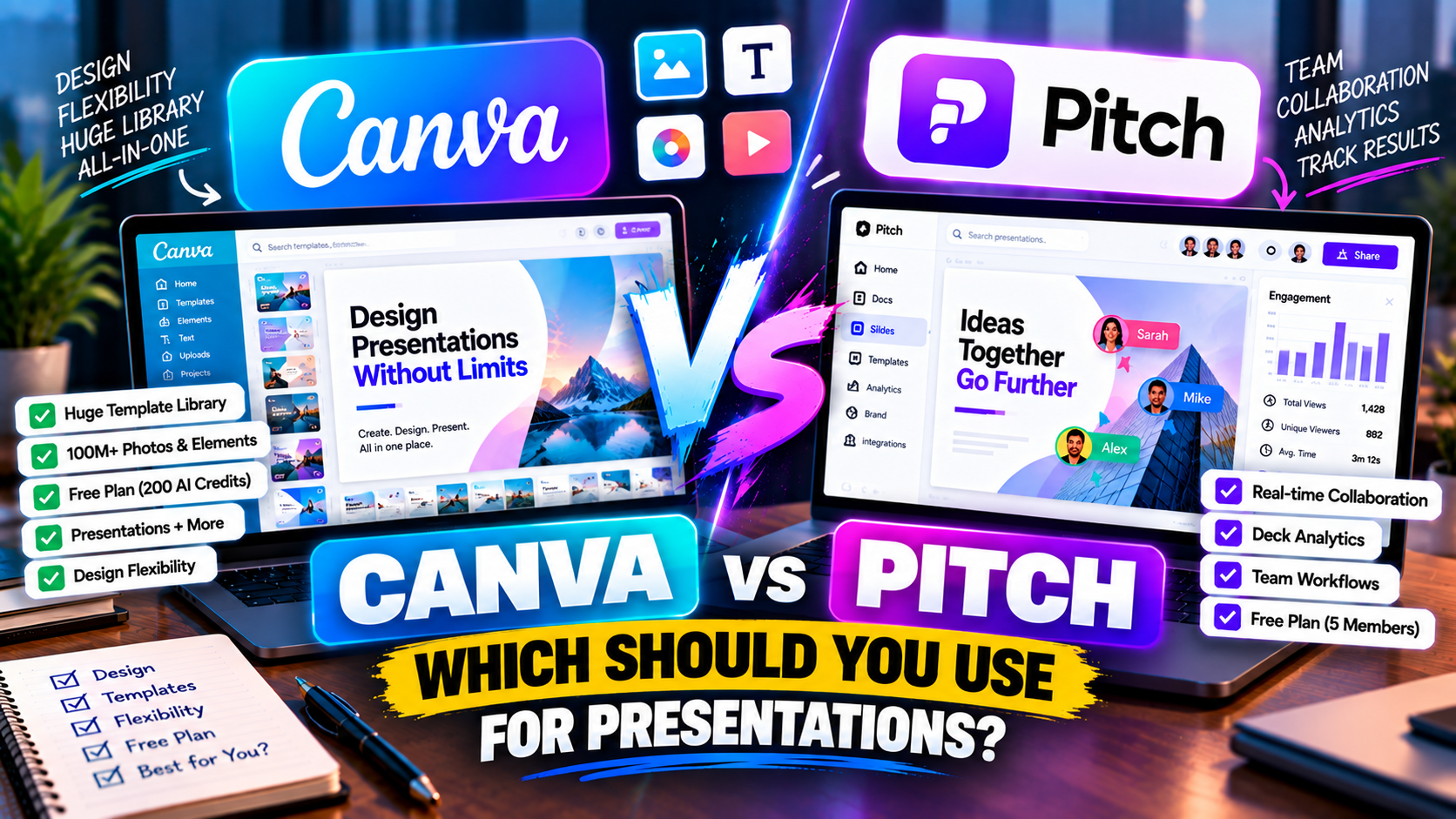
Canva vs Pitch: Which Should You Use for Presentations?
Canva vs Pitch: Which Should You Use for Presentations? (2026)
Canva and Pitch both make presentations, but they're built around different ideas about what a presentation tool is for. Canva is a giant design platform where slides are one of many things you can make, backed by the biggest asset library going and a genuinely generous free plan. Pitch is a focused deck tool built around teams working together and tracking what happens after a deck is sent. Which suits you comes down to whether you're optimising for design and flexibility, or for collaboration and follow-up.
If you want design range, a strong free tier, and presentations alongside social posts and other graphics, Canva is the pick. If a team builds decks together and you care who opens your sales or investor decks, Pitch is. Here's the detail.
The short answer
Choose Canva for design flexibility, the largest template and asset library, and a free plan you can lean on. Choose Pitch if collaboration and knowing who read your deck matter more than design breadth. Both have free plans, so try them — Canva's suits an individual, Pitch's suits a small team.
Canva vs Pitch at a glance
| Feature | Canva | Pitch |
|---|---|---|
| What it is | Broad all-in-one design platform | Collaborative deck platform with AI |
| Best for | Design range; slides among other content | Teams building and tracking decks |
| How you start | Prompt (Magic Design), template, or scratch | Prompt, templates, or scratch |
| AI approach | Magic Design → themed deck + placeholder copy | AI drafts slides; workflow is collaboration-first |
| Free option | Free plan (generous) | Free plan (~5 members) |
| Free limits | 200 lifetime AI credits (shared), big free library | ~5 members, unlimited decks, 100 one-time AI credits |
| Paid entry | Canva Pro $15/mo (or $120/yr) | ~$20/user/mo (dynamic) |
| Higher tiers | Teams / Enterprise | Business / Enterprise |
| AI usage model | Shared Magic Studio credit pool (Pro ~20× free) | Limited AI credits; collaboration unlimited |
| Editing model | Full design editor, standard slides | Standard slides, real-time co-editing |
| Templates / design | Very large template + asset library | Modern template library |
| Asset library | 100M+ photos, icons, graphics | Stock images + integrations |
| Collaboration | Real-time collaboration | Real-time co-editing (best-in-class) |
| Analytics | Limited | Deck view analytics (who opened, which slides) |
| Brand controls | Brand Kit (Pro) | Brand kit / templates (paid) |
| PowerPoint export | Export (.pptx) | Export (.pptx) + PDF |
| Google Slides export | No native (via import) | No native |
| Other export | PDF, MP4 video | |
| Beyond slides | Social, video, docs, print | Presentations only |
| Differentiator | Biggest asset library + all-in-one suite | Team collaboration + engagement analytics |
| Learning curve | Low–moderate | Low |
Prices are entry-level and change often — verify on each site. Figures verified September 2026.
How each one works
Canva is a design canvas first. Its Magic Design AI turns a prompt into a themed deck by pulling layouts from a massive template library, dropping in stock imagery and writing placeholder copy — then you take over in an editor loaded with photos, icons, charts and an image generator. You get enormous flexibility, and the same content can be resized into a social post or a video. The flip side: the AI draft is a starting point that needs real editing, and there's a lot of tool to learn.
Pitch is a deck tool built for teams. AI can draft slides, but the point is people working on a deck together — live co-editing, comments, assigned slides, a shared brand library — and then analytics that tell you who opened the deck you shared and which slides they lingered on. It's leaner than Canva by design, focused on producing and tracking decks rather than doing everything visual.
So Canva is "design anything, presentations included." Pitch is "build decks as a team and see how they land."
Design and output
Canva wins on pure design range — nothing here matches its asset library or flexibility, and for visually rich or brand-heavy slides it's excellent once you put the work in. Pitch's templates are clean and modern and quicker to keep consistent across a team, but you won't find Canva's depth of assets or creative freedom.
If the deck is a design piece, Canva. If the deck is a team document that needs to look consistent and get tracked, Pitch.
The free plans
Both are generous, but for different users.
Canva's free plan is huge for an individual: a large library of free templates and elements, plus 200 lifetime AI credits for Magic Design. You can genuinely make good presentations without paying (the Brand Kit, premium assets and more AI credits are the Pro upsell).
Pitch's free plan is generous for a small team: up to about five members, unlimited decks, and real-time collaboration, with 100 one-time AI credits. So if you're solo, Canva gives you more; if you're a small team, Pitch's free tier is the more useful shape.
Pricing
Canva Pro is $15/month or $120/year for one person and unlocks the Brand Kit, the full asset library, background removal and roughly 20× the AI credits — good value if you'll use Canva for more than slides.
Pitch prices per seat and dynamically; paid plans generally start around $20/user/month, with a Business tier above. You're paying for collaboration, brand control and analytics rather than a design suite.
For an individual doing lots of design, Canva Pro is better value; for a team whose priority is building and tracking decks together, Pitch's per-seat plan makes sense.
PowerPoint and Google Slides
Neither exports natively to Google Slides — with both, you'd download a PowerPoint file and import it, cleaning up any formatting that shifts. Canva exports PowerPoint, PDF and MP4 video; Pitch exports PowerPoint and PDF (unbranded on paid). If Google Slides is your real home, know that both take an extra step to get there — a tool with a native Google Slides route may suit you better. More on that in can you use AI with Google Slides?
Choose Canva if…
- You want design flexibility and the largest asset library available.
- You'll use it for social, video and other design, not just slides.
- You want a strong free plan as an individual.
Choose Pitch if…
- A team builds decks together and edits live.
- You want to know who opened your deck and which slides they viewed.
- You send sales, client or investor decks and want that follow-up data.
Can you use both?
Plenty do. A common split is Canva for design-led and marketing decks (and everything else visual), and Pitch for team-built sales or investor decks where collaboration and tracking matter. Both export PowerPoint, so decks move between them with the usual minor cleanup.
The bottom line
Canva and Pitch aren't really competing for the same job. Canva is the design powerhouse — best if you want flexibility, assets and a free tier, and if slides are one part of a bigger visual workload. Pitch is the team's deck tool — best if collaboration and engagement analytics matter more than design range. Decide which of those describes your work and the answer is clear.
For the wider field, Gamma vs Canva covers Canva against a dedicated AI maker, and since Pitch is popular for fundraising, see the best AI tools for building a pitch deck. Building for a team? AI presentation tools for teams and brand consistency is relevant, and if you're still choosing, how to choose an AI presentation tool.
Pricing and features change often — check each product's site before relying on the details here.
FAQ
Is Canva or Pitch better for presentations? Canva for design range and solo use; Pitch for team collaboration and tracking who reads your deck.
Are Canva and Pitch free? Both have free plans. Canva's suits an individual (big free library + 200 lifetime AI credits); Pitch's suits a small team (~5 members, unlimited decks, 100 one-time AI credits). See best free AI presentation tools.
Do they work with Google Slides? Neither exports natively — you'd import a PowerPoint file into Google Slides with both.
Which is better for a sales or investor deck? Pitch, thanks to real-time collaboration and analytics that show who engaged with the deck.
Listings related to Canva vs Pitch: Which Should You Use for Presentations?
Canva
The presentation side of Canva's all-in-one design suite, with Magic Studio AI turning a prompt or document into an editable, template-based deck. Easiest on-ramp, generous free tier, editable PowerPoint in and out — but a generalist, not a specialist.
Pitch
A collaborative AI presentation tool that has grown into a "complete pitching platform" — shared teamspaces, AI deck generation, and trackable Pitch Rooms with engagement analytics. Built for sales and go-to-market teams, not solo one-off decks.