
Gamma vs Pitch: Which AI Presentation Tool Fits How You Work? (2026)
Gamma vs Pitch: Which AI Presentation Tool Fits How You Work? (2026)
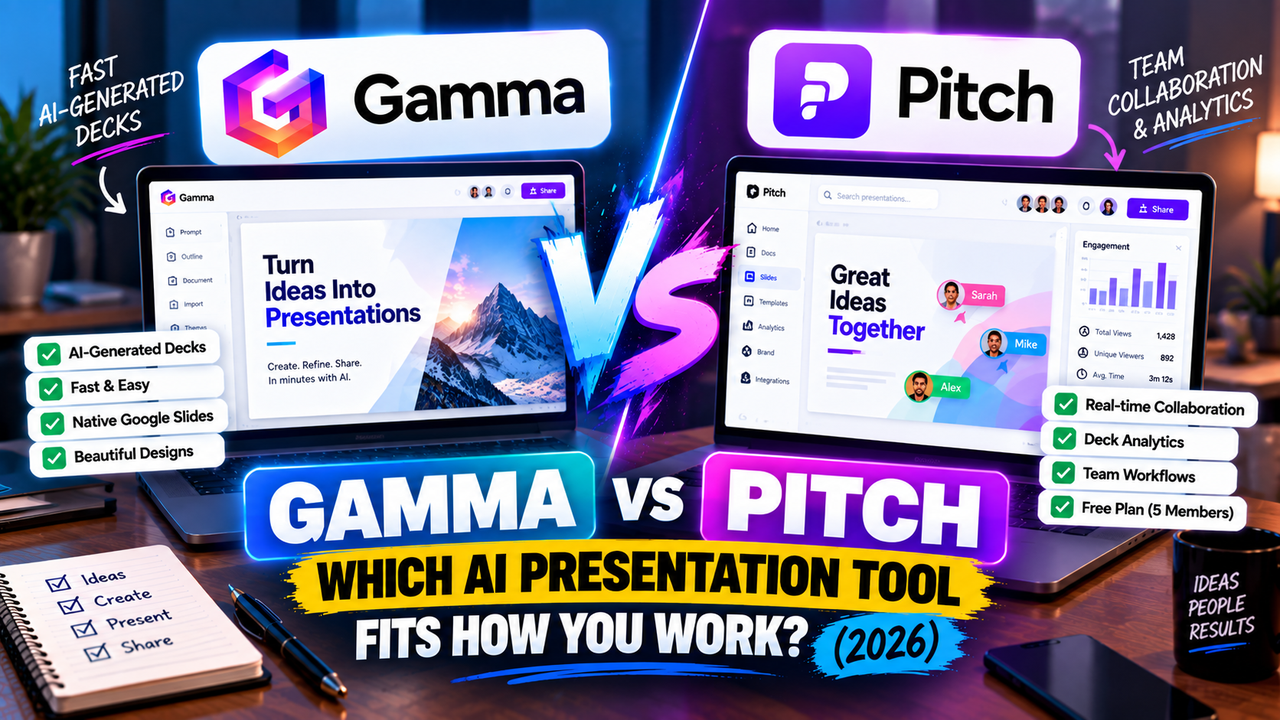
Gamma and Pitch both use AI to help you build a deck, but they're really answers to two different questions. Gamma answers "how do I get a good-looking presentation fast, on my own?" Pitch answers "how does my team build a deck together and see what happens after we send it?" Pick the one that matches the question you're actually asking.
If you mostly work solo and want a polished deck out of a prompt in a couple of minutes, Gamma is the better fit — and it's the only one of the two that exports straight to Google Slides. If you build decks with other people and care who's opening them (sales decks, investor decks, client proposals), Pitch's collaboration and analytics are the draw.
Here's the short version, then the detail.
The short answer
Go with Gamma for fast, individual, AI-generated decks you'll share as a link or export. Go with Pitch if a team edits together and you want to track engagement after the deck goes out. Both have genuinely useful free plans, so you can try either before paying.
Gamma vs Pitch at a glance
| Feature | Gamma | Pitch |
|---|---|---|
| What it is | AI generator: prompt/doc → editable deck | Collaborative deck platform with AI generation |
| Best for | Fast solo decks, online sharing | Teams building and tracking decks |
| How you start | Prompt, outline, paste, import PDF/PPTX | Prompt, templates, or from scratch |
| AI approach | Generates a full deck from your content | AI drafts slides; workflow is collaboration-first |
| Free option | Free plan | Free plan |
| Free limits | 400 one-time credits, "Made with Gamma" badge | ~5 members, unlimited decks, 100 one-time AI credits |
| Paid entry | Plus ~$8–10/user/mo | ~$20/user/mo (shown dynamically) |
| Higher tiers | Pro ~$18–20; Team/Business | Business tier above; Enterprise |
| AI usage model | Credit-metered allowance | Limited AI credits; collaboration unlimited |
| Editing model | Flexible cards (can scroll) | Standard slides, real-time co-editing |
| Templates / design | Themes + one-click restyle | Modern template library |
| Asset library | Modest; AI-generated imagery | Stock images + integrations |
| PowerPoint export | Export (.pptx) | Export (.pptx) + PDF |
| Google Slides export | Yes (native) | No native |
| PDF / other export | PDF, PNG | |
| Collaboration | Workspace sharing | Real-time co-editing (best-in-class) |
| Analytics | Yes (Pro) | Deck view analytics (who opened, which slides) |
| Brand controls | Custom branding (paid) | Brand kit / templates (paid) |
| Differentiator | AI-native speed + cards + Google Slides | Team collaboration + engagement analytics |
| Learning curve | Low | Low |
Prices are entry-level and shift often — check each site before paying. Figures verified September 2026.
How each one works
Gamma starts with your content and does the heavy lifting. You give it a prompt, paste an outline, or drop in a PDF or PowerPoint, and it generates the whole thing — text, layout, images — as a set of "cards." A card is like a slide that can scroll, which is handy for decks people read online rather than sit through in a room. From there you nudge it: restyle in a click, rewrite a section, swap an image. The appeal is speed — you're editing a draft, not building from zero.
Pitch works the other way round. AI can draft slides for you, but the tool is built around a team working on a deck at the same time — think Google Docs, but for presentations. Several people edit live, leave comments, assign slides, and pull from a shared library of templates and brand assets. Then, once you share the deck as a link, Pitch tells you who opened it and which slides they actually looked at. For anyone sending decks to prospects or investors, that last part is the whole point.
So Gamma is "describe it and get a deck." Pitch is "build it together and watch how it lands."
Design and output
Gamma's decks look sharp straight away, and its one-click restyle keeps things consistent without any design skill — the trade-off being the reflowable card format, which is lovely on the web but occasionally needs tidying if you want a strict, traditional slide-by-slide file.
Pitch leans on a clean, modern template library and gives you more direct control over each slide, which suits teams that want everything on-brand. Its AI is a helping hand rather than the star, so you'll usually do a bit more of the arranging yourself than you would in Gamma — but you get a tighter, more deliberate result.
What you get for free
Both free plans are actually worth using, and they're generous in different directions.
Gamma's free plan hands you 400 AI credits, but they're a one-time grant, not a monthly refill. A short deck runs about 50 credits, so that's roughly eight generations before you're tapped out — though editing by hand costs nothing, so you can stretch it. Free decks carry a small "Made with Gamma" badge, and losing that means going paid.
Pitch's free plan is generous in a different way: up to about five members, unlimited presentations, and real-time collaboration — but only 100 one-time AI credits. In other words, Gamma gives an individual more AI generations; Pitch gives a small team more room to work together. Which one counts as "more generous" depends entirely on whether you're flying solo or with a crew.
Pricing
Gamma's paid plans open at Plus, roughly $8–10 per user per month billed annually, which drops the badge and bumps your monthly credit allowance to around 1,000. Pro (about $18–20/user/month) adds more credits, custom branding and analytics. The thing to keep an eye on is the credit meter — regenerate a lot and you'll draw it down faster than you'd expect.
Pitch prices dynamically, so confirm the current number, but paid plans generally start around $20 per user per month, with a Business tier above for bigger teams. You're paying less for raw AI generations here and more for the collaboration, brand control and analytics.
Rough rule: if it's just you and you want cheap, fast AI decks, Gamma's entry price wins. If it's a team and the value is in working together and tracking decks, Pitch earns its keep.
PowerPoint and Google Slides
Both export a PowerPoint file, and both can need a quick cleanup afterwards — that's true of anything that rebuilds its slides as .pptx. Pitch also exports to PDF.
The real difference is Google Slides. Gamma exports to it natively, so a deck lands in Google's editor without a detour. Pitch has no native Google Slides export — you'd route through a PowerPoint file and fix up whatever shifts. If Google Slides is home base, that alone might settle it.
Choose Gamma if…
- You mostly work solo and want a polished deck out of a prompt, fast.
- You share decks as a link or need a clean Google Slides export.
- You'd rather pay a low individual price than a per-seat team plan.
Choose Pitch if…
- A team builds the deck together and wants to edit live.
- You send decks to prospects or investors and want to see who engaged.
- Brand consistency across a library of team decks matters.
Can you use both?
Sure, and it's not a strange combination. Some people draft fast in Gamma, then bring the deck into Pitch for the team to polish and to get tracking on the versions they send out. Both export PowerPoint, so a deck can move between them — just expect the usual small formatting shuffle on the way across.
If you're only paying for one, let the deciding factor be people: solo and speed points to Gamma; team and tracking points to Pitch.
The bottom line
Gamma and Pitch aren't really rivals so much as tools for different jobs. Gamma is the fastest way for one person to turn an idea into a good deck, with the bonus of native Google Slides. Pitch is where a team builds decks together and finds out what happens after they hit send. Work out which of those describes your week, and the choice makes itself.
Want to see how each stacks up against the obvious alternative? Gamma vs Canva and Gamma vs Beautiful.ai cover Gamma's main rivals, and since Pitch is popular for fundraising, our best AI tools for building a pitch deck is worth a look. Still not sure what kind of tool you need? Start with how to choose an AI presentation tool, or do you actually need an AI presentation tool? if you're on the fence.
Pricing and features change often — check each product's site before relying on the details here.
FAQ
Is Gamma or Pitch better? Gamma for fast solo decks and Google Slides export; Pitch for team collaboration and tracking who reads your deck. They're built for different jobs.
Are Gamma and Pitch free? Both have free plans. Gamma gives 400 one-time AI credits (better for an individual); Pitch gives up to ~5 members and unlimited decks but only 100 one-time AI credits (better for a small team). See best free AI presentation tools.
Do they export to PowerPoint and Google Slides? Both export PowerPoint (Pitch also PDF). Only Gamma exports natively to Google Slides.
Which is better for a sales or investor deck? Pitch, usually — its analytics show who opened the deck and which slides held attention, which is genuinely useful during a raise or a sales cycle. See best AI tools for building a pitch deck.
Listings related to Gamma vs Pitch: Which AI Presentation Tool Fits How You Work? (2026)

Gamma
An AI presentation maker that turns a prompt or a pasted document into a finished-looking deck in about a minute. A standalone web app — great free plan for on-screen decks, but clean PowerPoint export and branding are paid.
Pitch
A collaborative AI presentation tool that has grown into a "complete pitching platform" — shared teamspaces, AI deck generation, and trackable Pitch Rooms with engagement analytics. Built for sales and go-to-market teams, not solo one-off decks.